
PptxGenJS
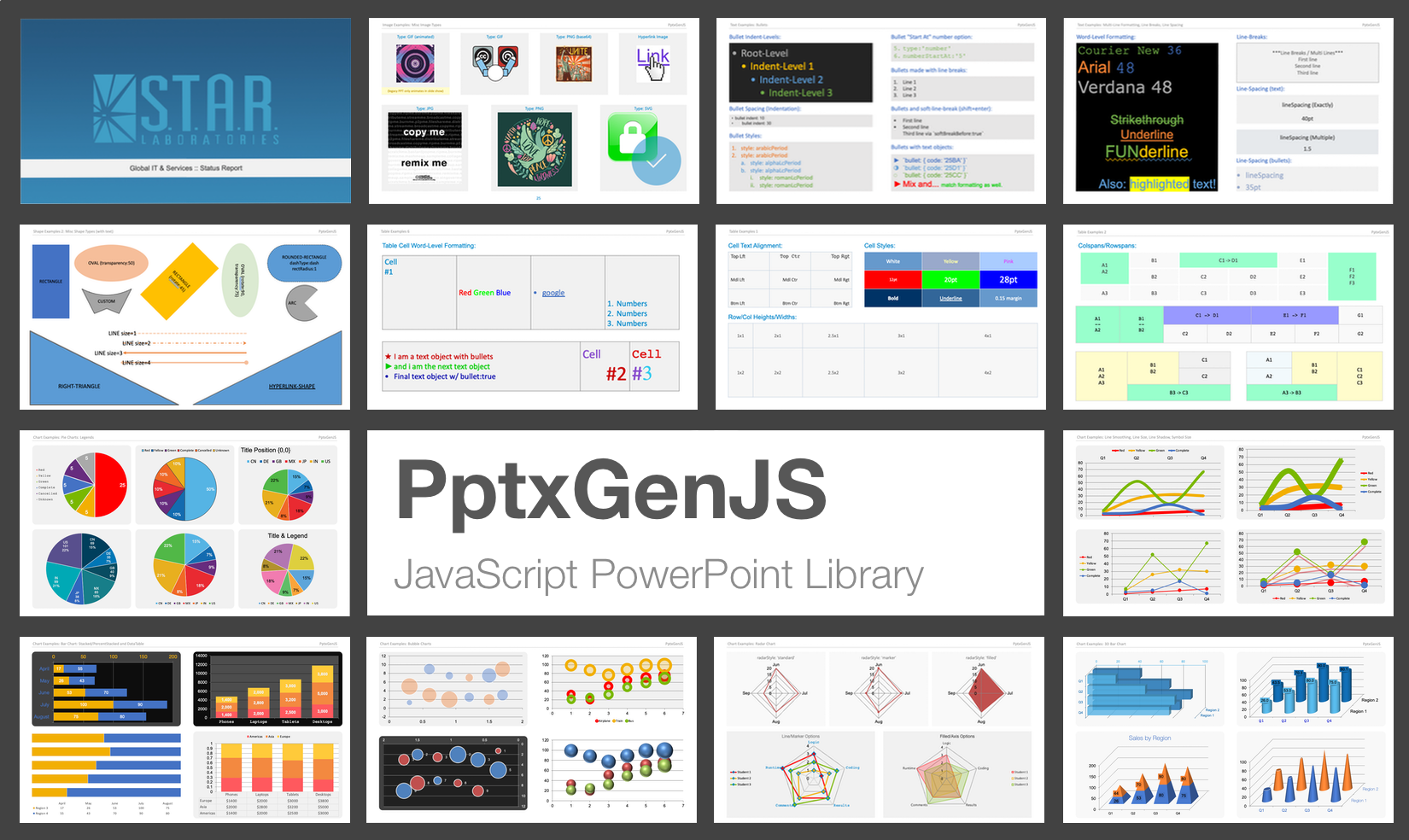




Features
PptxGenJS lets you generate professional PowerPoint presentations in JavaScript - directly from Node, React, Vite, Electron, or even the browser. The library outputs standards-compliant Open Office XML (OOXML) files compatible with:
- Microsoft PowerPoint
- Apple Keynote
- LibreOffice Impress
- Google Slides (via import)
Design custom slides, charts, images, tables, and templates programmatically - no PowerPoint install or license required.
Works Everywhere
- Supports every major modern browser - desktop and mobile
- Seamlessly integrates with Node.js, React, Angular, Vite, and Electron
- Compatible with PowerPoint, Keynote, LibreOffice, and other OOXML apps
Full-Featured
- Create all major slide objects: text, tables, shapes, images, charts, and more
- Define custom Slide Masters for consistent academic or corporate branding
- Supports SVGs, animated GIFs, YouTube embeds, RTL text, and Asian fonts
Simple & Powerful
- Ridiculously easy to use - create a presentation in 4 lines of code
- Full TypeScript definitions for autocomplete and inline documentation
- Includes 75+ demo slides covering every feature and usage pattern
Export Your Way
- Instantly download
.pptxfiles from the browser with proper MIME handling - Export as base64, Blob, Buffer, or Node stream
- Supports compression and advanced output options for production use
HTML to PowerPoint Magic
- Convert any HTML
<table>to one or more slides with a single line of code → Explore the HTML-to-PPTX feature
Live Demos
Try PptxGenJS right in your browser - no setup required.
- Basic Slide Demo - Build a basic presentation in seconds
- Full Feature Showcase - Explore every available feature
Perfect for testing compatibility or learning by example - all demos run 100% in the browser.
Installation
Choose your preferred method to install PptxGenJS:
Quick Install (Node-based)
npm install pptxgenjsyarn add pptxgenjsCDN (Browser Usage)
Use the bundled or minified version via jsDelivr:
<script src="https://cdn.jsdelivr.net/gh/gitbrent/pptxgenjs/dist/pptxgen.bundle.js"></script>Includes the sole dependency (JSZip) in one file.
Advanced: Separate Files, Direct Download
Download from GitHub: Latest Release
<script src="PptxGenJS/libs/jszip.min.js"></script>
<script src="PptxGenJS/dist/pptxgen.min.js"></script>
Universal Compatibility
PptxGenJS works seamlessly in modern web and Node environments, thanks to dual ESM and CJS builds and zero runtime dependencies. Whether you're building a CLI tool, an Electron app, or a web-based presentation builder, the library adapts automatically to your stack.
Supported Platforms
- Node.js – generate presentations in backend scripts, APIs, or CLI tools
- React / Angular / Vite / Webpack – just import and go, no config required
- Electron – build native apps with full filesystem access and PowerPoint output
- Browser (Vanilla JS) – embed in web apps with direct download support
- Serverless / Edge Functions – use in AWS Lambda, Vercel, Cloudflare Workers, etc.
Vite, Webpack, and modern bundlers automatically select the right build via the
exportsfield inpackage.json.
Builds Provided
- CommonJS:
dist/pptxgen.cjs.js - ES Module:
dist/pptxgen.es.js
Documentation
Quick Start Guide
PptxGenJS PowerPoint presentations are created via JavaScript by following 4 basic steps:
Angular/React, ES6, TypeScript
import pptxgen from "pptxgenjs";

// 1. Create a new Presentation
let pres = new pptxgen();

// 2. Add a Slide
let slide = pres.addSlide();

// 3. Add one or more objects (Tables, Shapes, Images, Text and Media) to the Slide
let textboxText = "Hello World from PptxGenJS!";
let textboxOpts = { x: 1, y: 1, color: "363636" };
slide.addText(textboxText, textboxOpts);

// 4. Save the Presentation
pres.writeFile();
Script/Web Browser
// 1. Create a new Presentation
let pres = new PptxGenJS();

// 2. Add a Slide
let slide = pres.addSlide();

// 3. Add one or more objects (Tables, Shapes, Images, Text and Media) to the Slide
let textboxText = "Hello World from PptxGenJS!";
let textboxOpts = { x: 1, y: 1, color: "363636" };
slide.addText(textboxText, textboxOpts);

// 4. Save the Presentation
pres.writeFile();
That's really all there is to it!
HTML-to-PowerPoint Magic
Convert any HTML <table> into fully formatted PowerPoint slides - automatically and effortlessly.
let pptx = new pptxgen();
pptx.tableToSlides("tableElementId");
pptx.writeFile({ fileName: "html2pptx-demo.pptx" });
Perfect for transforming:
- Dynamic dashboards and data reports
- Exportable grids in web apps
- Tabular content from CMS or BI tools
Full Documentation
Complete API reference, tutorials, and integration guides are available on the official docs site: https://gitbrent.github.io/PptxGenJS
Issues / Suggestions
Please file issues or suggestions on the issues page on github, or even better, submit a pull request. Feedback is always welcome!
When reporting issues, please include a code snippet or a link demonstrating the problem. Here is a small jsFiddle that is already configured and uses the latest PptxGenJS code.
Need Help?
Sometimes implementing a new library can be a difficult task and the slightest mistake will keep something from working. We've all been there!
If you are having issues getting a presentation to generate, check out the code in the demos directory. There
are demos for browser, node and, react that contain working examples of every available library feature.
- Use a pre-configured jsFiddle to test with: PptxGenJS Fiddle
- View questions tagged
PptxGenJSon StackOverflow. If you can't find your question, ask it yourself - be sure to tag itpptxgenjs. - Ask your AI pair programmer! All major LLMs have ingested the pptxgenjs library and have the ability to answer functionality questions and provide code.
Contributors
Thank you to everyone for the contributions and suggestions!
Special Thanks:
- Dzmitry Dulko - Getting the project published on NPM
- Michal Kacerovský - New Master Slide Layouts and Chart expertise
- Connor Bowman - Adding Placeholders
- Reima Frgos - Multiple chart and general functionality patches
- Matt King - Chart expertise
- Mike Wilcox - Chart expertise
- Joonas - react-pptx
PowerPoint shape definitions and some XML code via Officegen Project
Support the Open Source Community
If you find this library useful, consider contributing to open-source projects, or sharing your knowledge on the open social web. Together, we can build free tools and resources that empower everyone.
License
Copyright 2015-present Brent Ely