
Licence
MIT
Version
1.2.1
Deps
3
Size
22 kB
Vulns
0
Weekly
1.4K
downlaude
CLI to check Claude's service status from your terminal.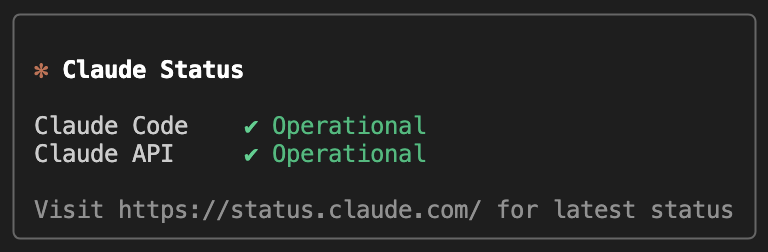
Getting Started
Run the following command to install:
npm install --global downlaudeUsage
downlaude           # show Claude API + Claude Code status
downlaude [options] # customize the output to what you need
Options:
| Flag & Alias | Description |
|---|---|
-a,--all |
Show all Claude services |
-s,--silent |
No output. Exits with 0, 1, or 2 |
-h,--help |
Show help |
--clawd |
Show Clawd mascot (cries when a service is down) |
For example, with --all and --clawd flags: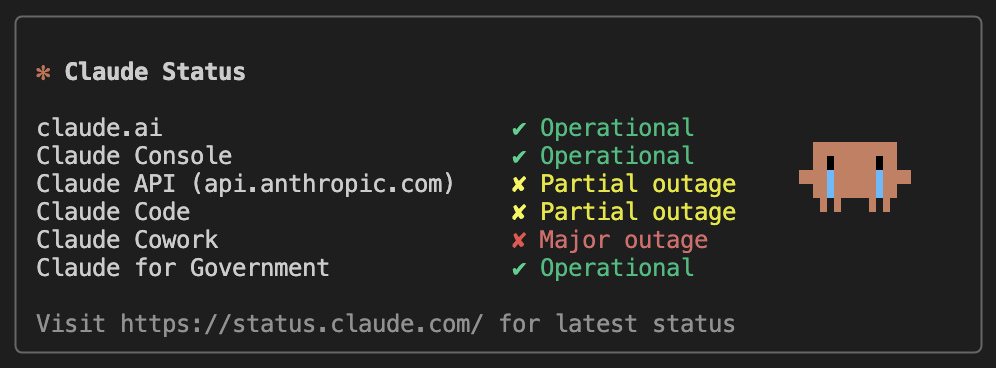
Scripting Friendliness
No output hassle perfectly silent so you can just catch the exit code!
| Exit Code | Meaning |
|---|---|
0 |
All operational |
1 |
At least one outage |
2 |
Could not reach status page |
Scope of the Exit Code
By default, --silent checks Claude API and Claude Code only:
downlaude --silent # checks Claude API + Claude CodeCombine with --all to check all services:
downlaude -s -a # checks all services
downlaude -sa   # you can use short flags!
Scripting Examples
downlaude --silent || echo "Claude is down"
downlaude --silent --all && deploy.sh
Feedback
Found a bug? Feel free to open an issue.
New option/feature idea? Don't hesitate to share it with us.
Acknowledgments
- Ink - For the terminal React UI framework.
- React - For the component-driven foundation.
- Anthropic - For the Status API powering this tool.
- Claude Code - For inspiring the UX and theme detection design.
License
Distributed under the MIT License.
See LICENSE for more information.