

clinfer JS (CLI infer-ence) : auto generate CLIs from code



clinfer brings CLI infer-ence to Node, Deno, and Bun. Pass it an object, a class, an ES module or a function, and watch it build your interface automatically:
- Each field/property generates a CLI option (flag).
- Each method/function generates a CLI command (with parameters as positional arguments).
Simply write your tool as a standard JS object, class or ES module, and hand it over to clinfer. It will automatically parse the command-line arguments, map them to your code, execute the right methods, and handle the help menu. You can then easily customize the generated help, add aliases, and fine-tune your CLI.
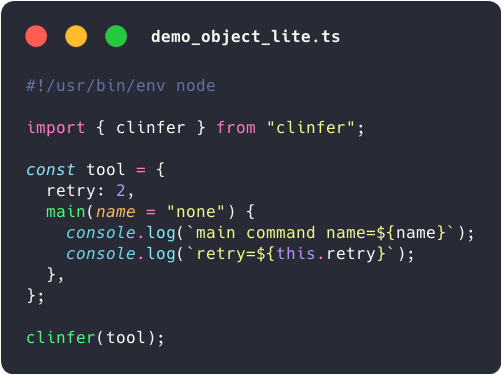
Overview : example with an object
 |
 |
Quick start
Install clinfer with :
npm install clinfer- or with Deno :
deno add clinferordeno add jsr:@jersou/clinfer
Import clinfer function : import clinfer from "clinfer";
Init a script :
#!/usr/bin/env node
import clinfer from "clinfer";

const tool = {
  retry: 2,
  main(name = "none") {
    console.log(`main command name=${name}`);
    console.log(`retry=${this.retry}`);
  },
};

clinfer(tool);
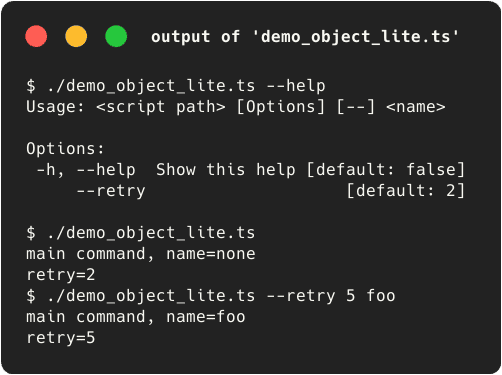
The first line, the shebang, allows you to launch the script directly. The generated CLI :
Usage: <script path> [Options] [--] <name>

Options:
 -h, --help  Show this help [default: false]
     --retry                    [default: 2]
Features
- No API to learn to build a basic CLI—just create a standard object.
- You can then expand the object to optionally specify helpers, aliases, types, and more.
- No need to define a separate type or schema for your CLI parameters; your input code is the schema.
- Nest multiple objects to compose a complex CLI with multi-level commands, each with its own options.
- Built-in support for JSON configuration files and environment variables to manage options.
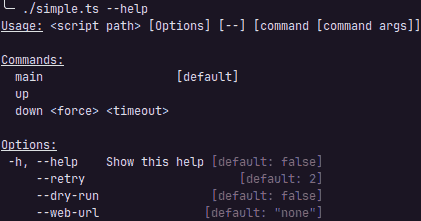
- The help is generated automatically:
- Run the commands with options and arguments
#             ↓↓↓↓↓↓↓↓↓↓↓↓↓ options ↓↓↓↓↓↓↓↓↓↓↓↓  ↓ command ↓  ↓ cmd args ↓
$ ./simple.ts --dry-run --web-url=tttt --retry 4     down        true  14
down command { force: true, timeout: 14 } Tool { retry: 4, dryRun: true, webUrl: 'tttt' }

$ ./simple.ts down true 14                     #  ↓↓↓  default options from class init  ↓↓↓
down command { force: true, timeout: 14 } Tool { retry: 2, dryRun: false, webUrl: 'none' }

$ ./simple.ts --dry-run --webUrl=tttt # ← same case of the field name works too : --webUrl or --web-url
main command Tool { retry: 2, dryRun: true, webUrl: 'tttt' } # ← main is the default command
Documentation
The full documentation of clinfer is here : jersou.github.io/clinfer/.
Other examples
Several examples can be found in the docs/examples/ folder.
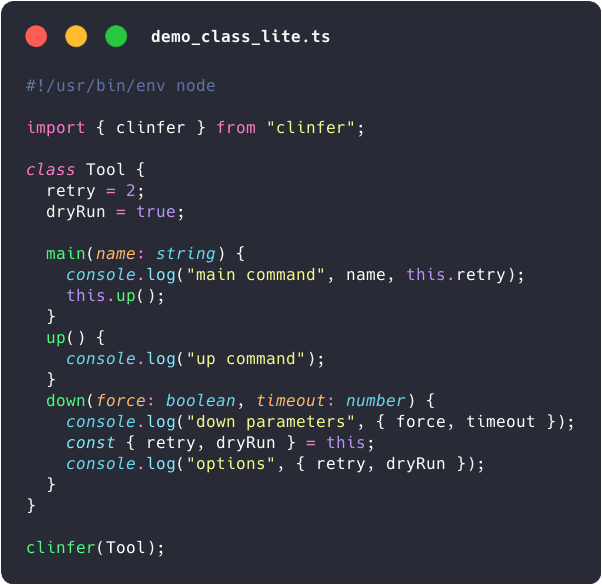
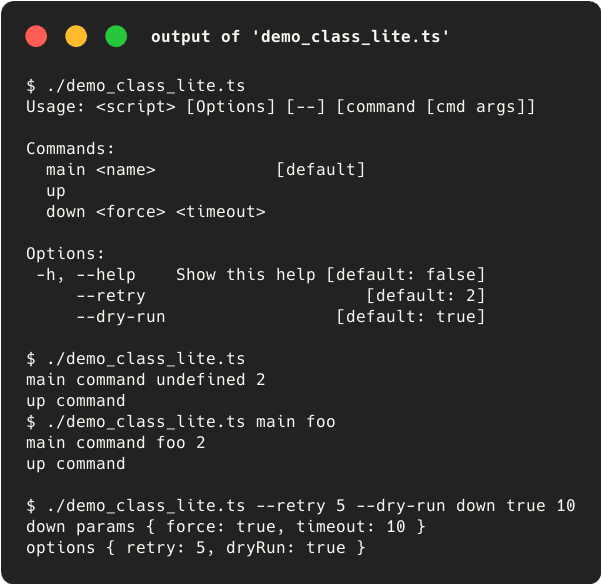
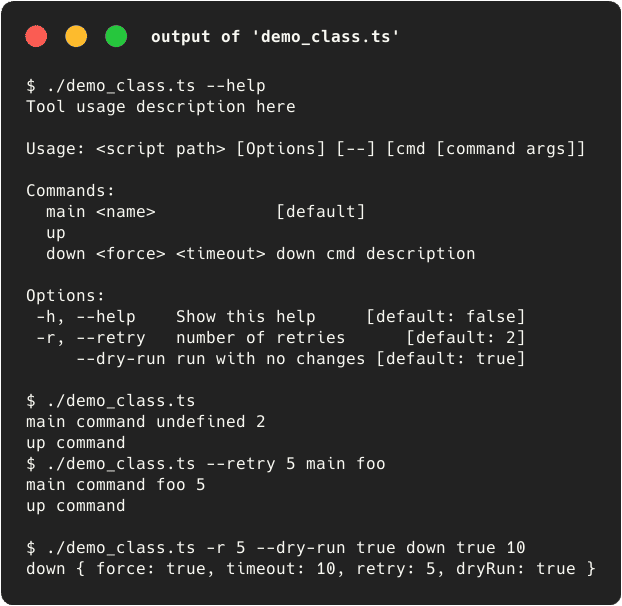
Example with a class
 |
 |
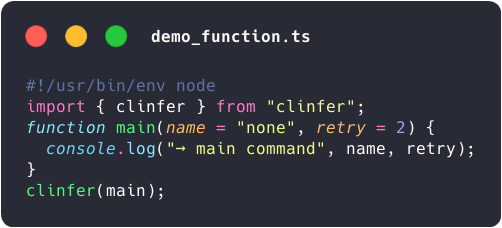
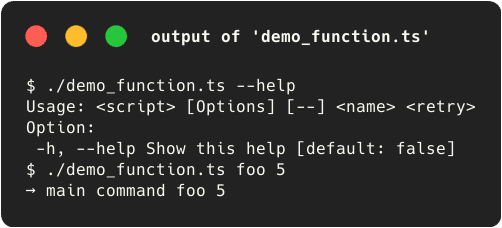
Example with a function
 |
 |
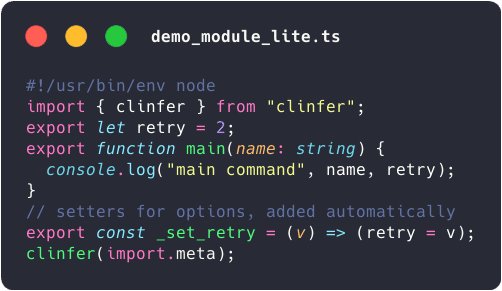
Example with a module (ESM)
 |
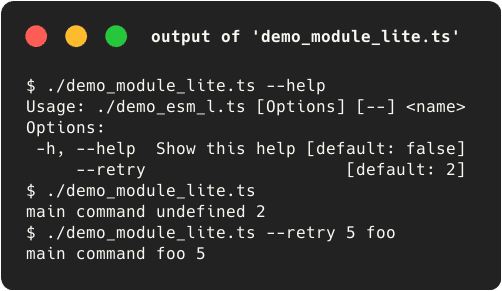 |
Full example with decorators (only for TypeScript & Deno for now)
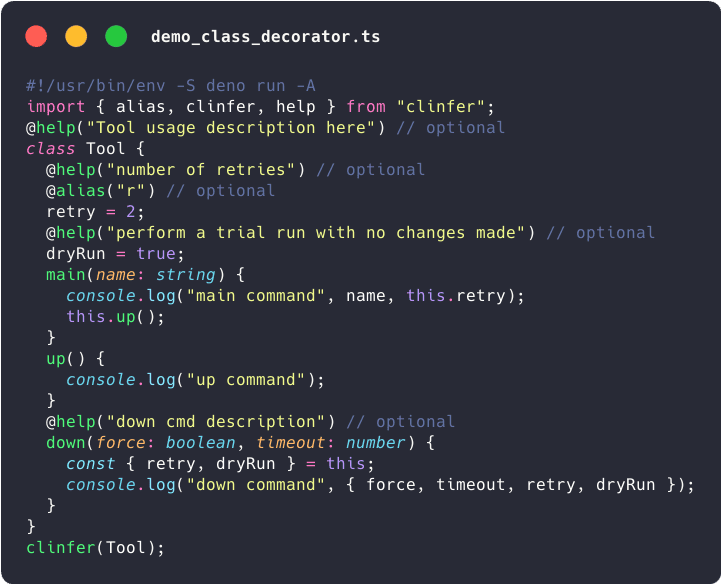 |
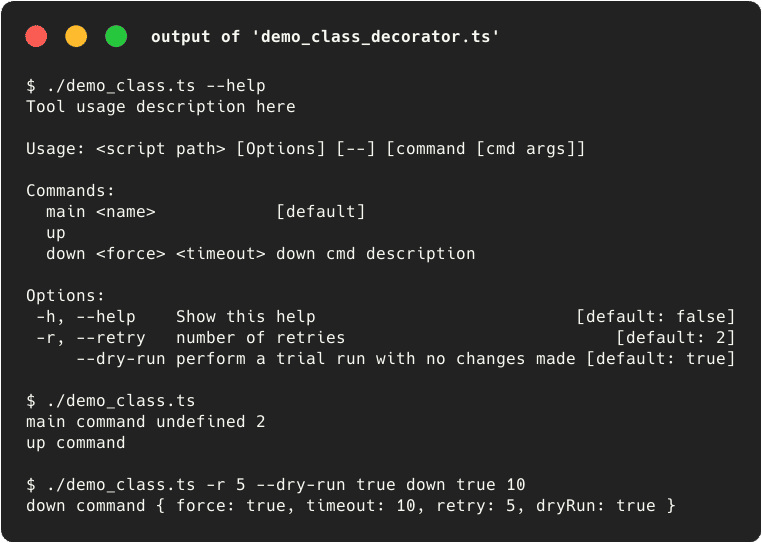 |
Full example without decorators
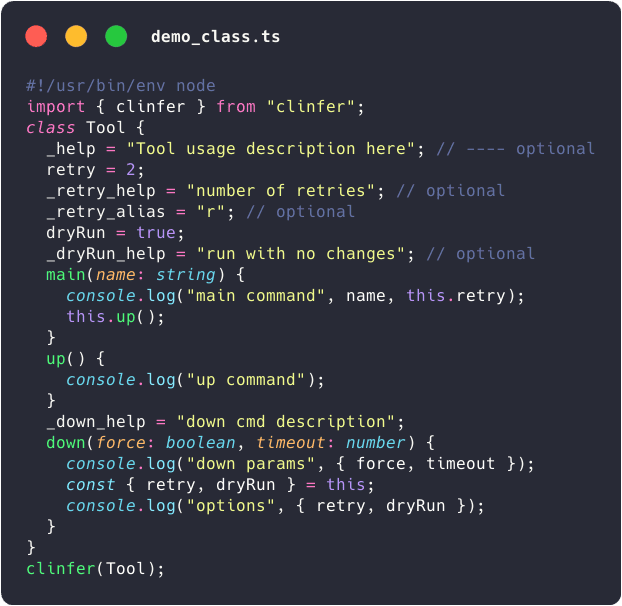 |
 |