
capacitor-adyen-dropin
capacitor-adyen-dropin
A polished, native Adyen payment sheet for Capacitor — Apple Pay, Google Pay and cards in one elegant sheet.





A custom, brand-themeable bottom sheet built on Adyen's native SDKs: the platform wallet button on top — Apple Pay on iOS, Google Pay on Android — with Adyen's secured card fields below. Runs the Adyen sessions flow, so your backend just creates a session and the SDK does the rest (3DS2 included).
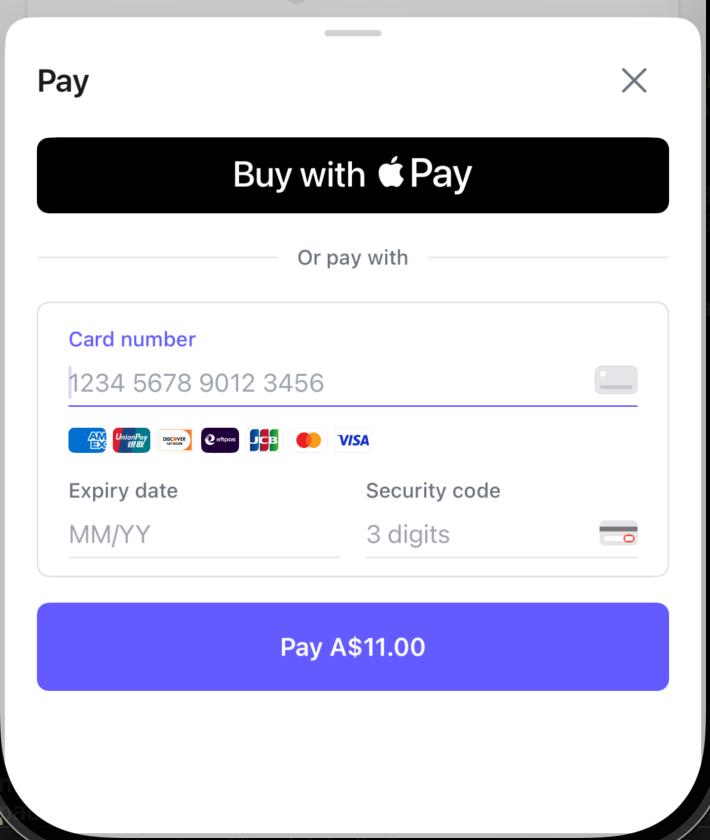
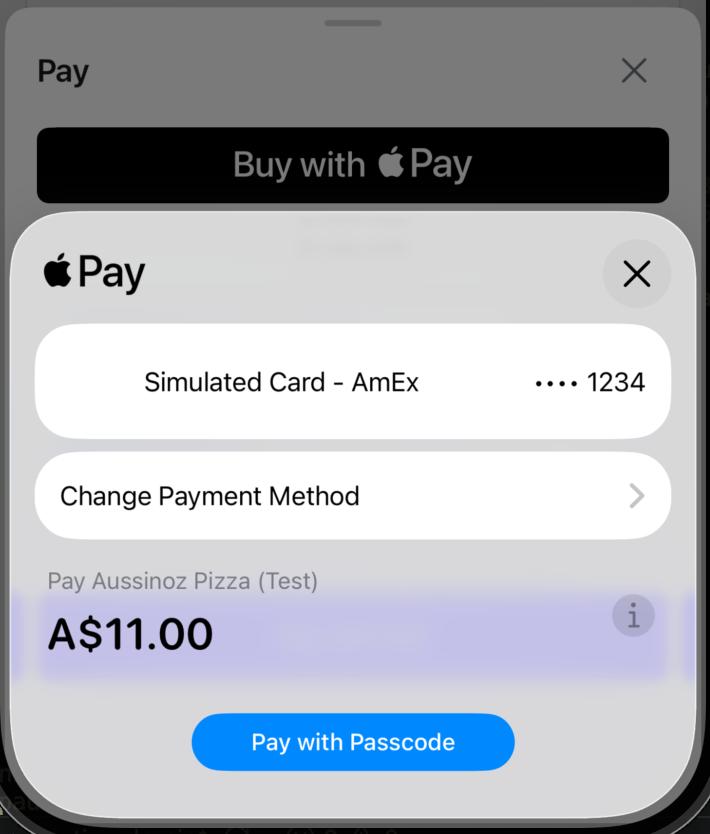
| Apple Pay | Google Pay | Cards | 3DS2 | |
|---|---|---|---|---|
| iOS | ✓ native | — | ✓ | ✓ |
| Android | — | ✓ native | ✓ | ✓ |
Built on Adyen iOS ~> 5.25 and com.adyen.checkout 5.19.0. CocoaPods and SPM supported.
Install
npm install capacitor-adyen-dropin
npx cap sync
Usage
import { AdyenDropin } from 'capacitor-adyen-dropin';

const amount = { currency: 'AUD', value: 1100 }; // minor units = A$11.00

// 1. Your backend creates the session (Adyen POST /sessions) and returns { id, sessionData }.
const session = await fetch('/sessions', { method: 'POST' /* ... */ }).then(r => r.json());

// 2. Present the native sheet and await the outcome.
try {
  const result = await AdyenDropin.startSession({
    session,
    clientKey: 'test_XXXX',
    environment: 'test',          // 'live-au' | 'live-eu' | 'live-us' | 'live-apse' | 'live-in'
    countryCode: 'AU',
    amount,
    returnUrl: 'yourapp://adyen',
    accentColor: '#635BFF',       // your brand color (Pay button + card focus)
    applePay: { merchantId: 'merchant.com.example.app', merchantName: 'Your Store' },
    googlePay: {},
  });

  if (result.resultCode === 'Authorised') {
    // fulfil the order
  }
} catch (err) {
  // err.code === 'CANCELLED' when the shopper closes the sheet
}
Native setup
iOS (SPM or CocoaPods)
- iOS deployment target 15.0+.
- Forward redirect / 3DS returns in
AppDelegate.swift:import Adyen func application(_ app: UIApplication, open url: URL, options: [UIApplication.OpenURLOptionsKey: Any] = [:]) -> Bool { RedirectComponent.applicationDidOpen(from: url) } - Register your return-URL scheme in
Info.plist(CFBundleURLSchemes→yourapp). - Add the Apple Pay capability in Xcode and select your Merchant ID.
Android
- App theme must extend a Material theme, or Drop-in crashes. Use the
.Bridgevariant instyles.xml:<style name="AppTheme.NoActionBar" parent="Theme.MaterialComponents.DayNight.NoActionBar.Bridge"> - Register the return-URL scheme on
MainActivityinAndroidManifest.xml:<intent-filter> <action android:name="android.intent.action.VIEW" /> <category android:name="android.intent.category.DEFAULT" /> <category android:name="android.intent.category.BROWSABLE" /> <data android:scheme="yourapp" android:host="adyen" /> </intent-filter>
Enable the wallets (Adyen Customer Area)
The sheet only shows what your Adyen account enables.
- Apple Pay — enable Apple Pay for the merchant account, upload the Apple Pay certificate, and
register your Apple Merchant ID. Pass it as
applePay.merchantId. Without the certificate, Apple Pay authorises but the charge returns Payment Failed. - Google Pay — enable Google Pay for the merchant account. Shows on a real device signed into Google with a saved card (not on emulators).
Backend
One endpoint that calls Adyen POST /v71/sessions with your secret key and returns
{ id, sessionData }. Minimal reference: example/backend-sessions.js.
API
| Method | Returns |
|---|---|
startSession(options) |
{ resultCode, sessionId?, sessionResult? } — resolves on a terminal outcome, rejects with code CANCELLED on dismiss |
isApplePayAvailable() |
{ available } — iOS only |
isGooglePayAvailable() |
{ available } — Android only |
StartSessionOptions: session, clientKey, environment, countryCode, amount (minor units),
returnUrl, accentColor?, applePay?, googlePay?, shopperLocale?. Full types in
src/definitions.ts.
Support

License
MIT