
AgentVibes
Finally — your AI agents can talk back.
AgentVibes gives your AI coding agents a real spoken voice. When an agent starts a task, you hear it. When it finishes, you hear that too — out loud, in a genuinely human voice, while you keep working on something else.



Website · Quick Start · Voice Library · Commands · Providers
The pitch
Your AI agents get a voice — they actually speak. Even when you're developing on a remote server, the receiver pipes that voice straight to your local speakers. With the latest neural voices — Kokoro and ElevenLabs — your agent team becomes a hands-free partner for your flow: perfect when you're running multiple agents and don't want to be glued to one screen. If you're a multitasker, this is your tool. And it's always under your control — mute it, or toggle it on and off, whenever you want.
Why you'll want this
You're in flow. You've got three agents running across three terminals. The old way? You babysit one window, alt-tab to the next, and hope you didn't miss the one that finished four minutes ago and has been sitting idle ever since.
AgentVibes speaks each agent's task start and completion aloud. You stop staring at a silent terminal and start hearing your agents work — glance away, write some notes, grab a coffee, and the moment an agent wraps a task or needs you, its voice tells you. It's built for the way you actually work: many agents, in parallel, all talking back.
And here's the part that feels like magic: working on a remote server with no audio device? The AgentVibes Remote Receiver pipes your agent's voice straight through your laptop's speakers. The work happens on the box. The voice arrives at your desk.
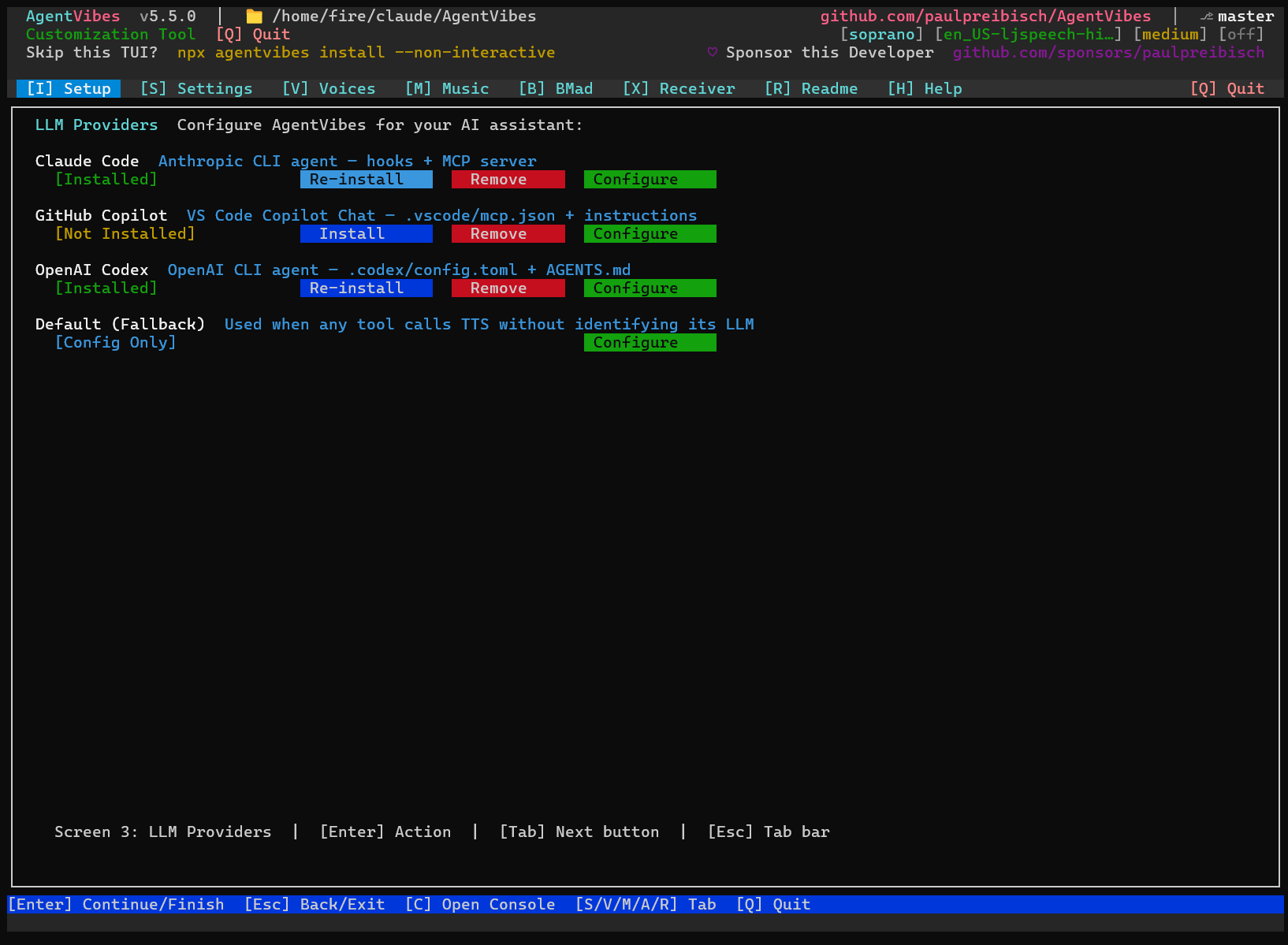
Quick start (30 seconds)
# Install — interactive TUI installer, no git clone required
npx agentvibes install
That's it. The installer wires up the Claude Code hooks and walks you through choosing a voice. Then just code — AgentVibes speaks automatically as your agents acknowledge and complete tasks.
npx agentvibes # open the TUI any timemacOS only, one time:
brew install bash— macOS ships bash 3.2; AgentVibes needs 5.x.
New here? The Quick Start guide walks you through your first voiced session.
Neural voices (v5.11.0)
Your agent team can now sound genuinely human — each agent with its own distinct voice.
- Kokoro — local neural TTS that runs on your CPU, no GPU required, with Chinese, Japanese, and Korean voices built in.
- ElevenLabs — premium cloud neural voices when you want the absolute best.
Plus combinable audio effects landed too: stack reverb, echo, and chorus on any voice.
Features
Automatic spoken narration. AgentVibes installs Claude Code hooks that fire on their own — when your agent acknowledges a task and when it completes one, you hear it spoken. No manual calls, no extra commands; you just code and listen.
Remote Receiver — voice from anywhere, on your speakers. SSH'd into a server with no sound card? The receiver routes the synthesized audio back to your local machine and plays it through your speakers. The work runs remotely; the voice lands at your desk.
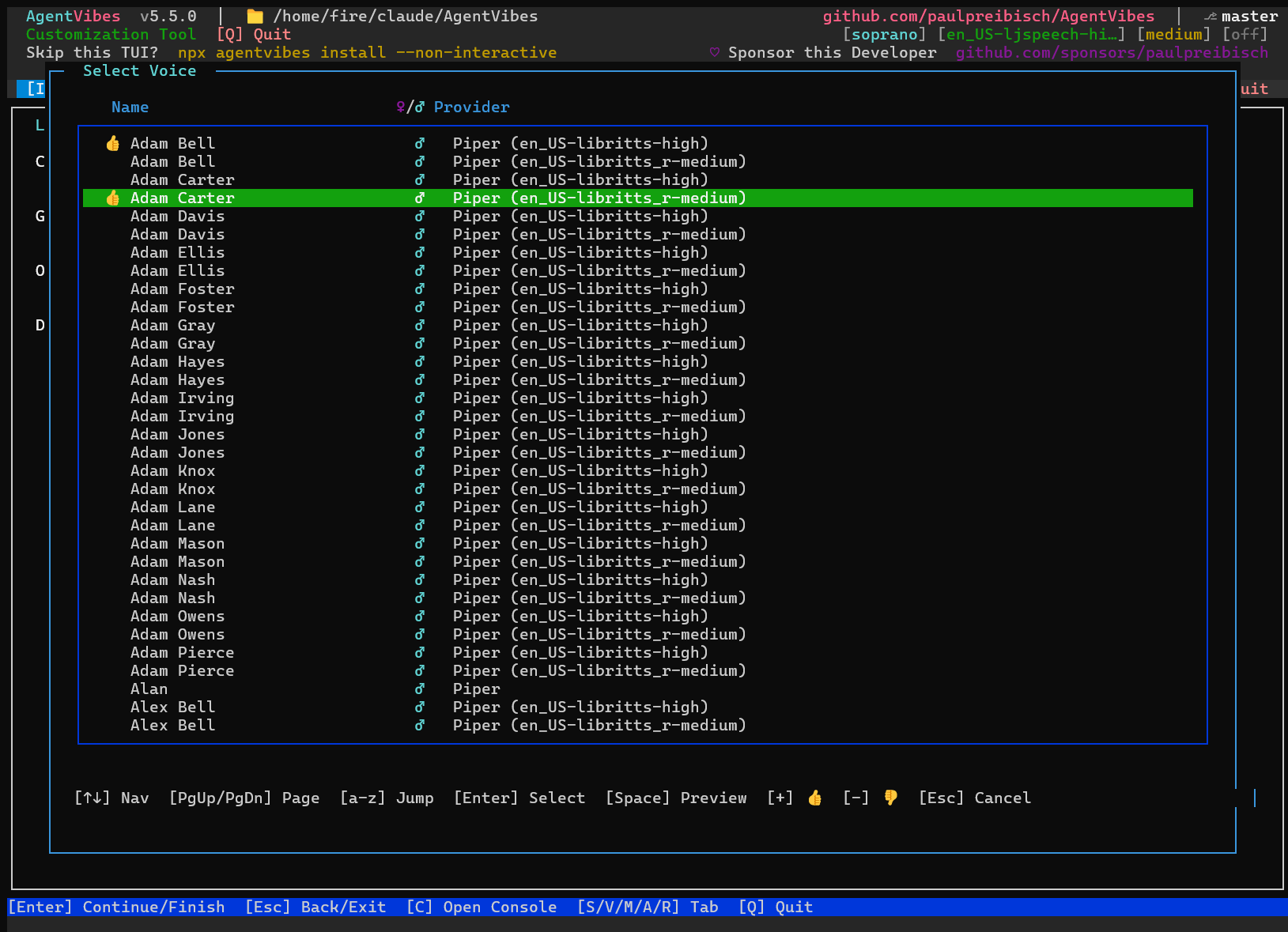
Neural and free voices — 900+ to choose from. Run fully free and offline with Piper (900+ voices, incl. the LibriTTS library) or your OS's built-in macOS Say / Windows SAPI. Want human-grade quality? Switch to neural: Kokoro (local, CPU-only, with Chinese/Japanese/Korean) or ElevenLabs (premium cloud). Browse and preview them all in the Voices tab.
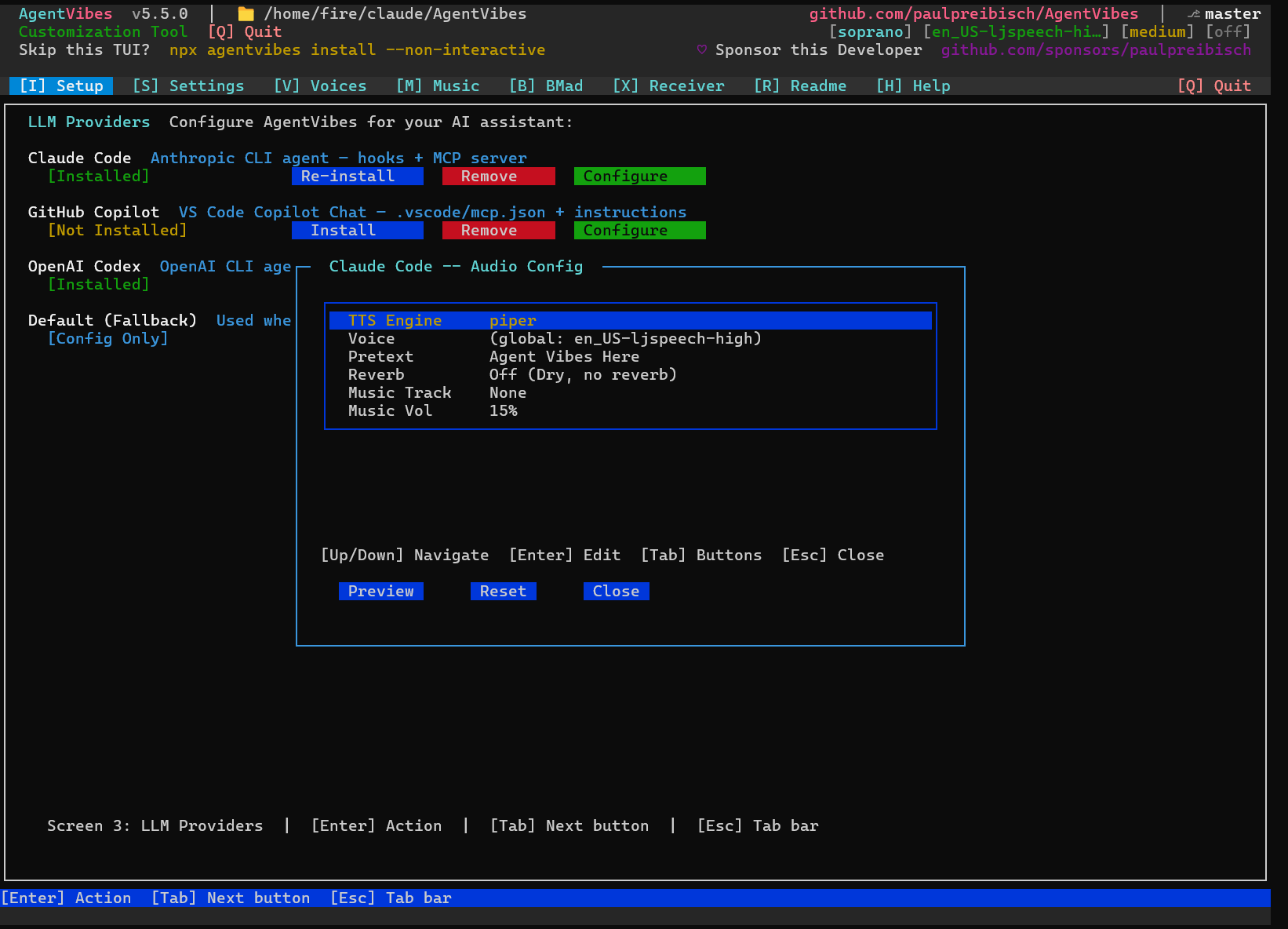
A distinct voice per agent (BMAD). Give every agent on a multi-agent BMAD team its own voice and auto-assign them from your active provider. When the analyst, architect, dev, and QA each sound different, you know who's talking without looking.
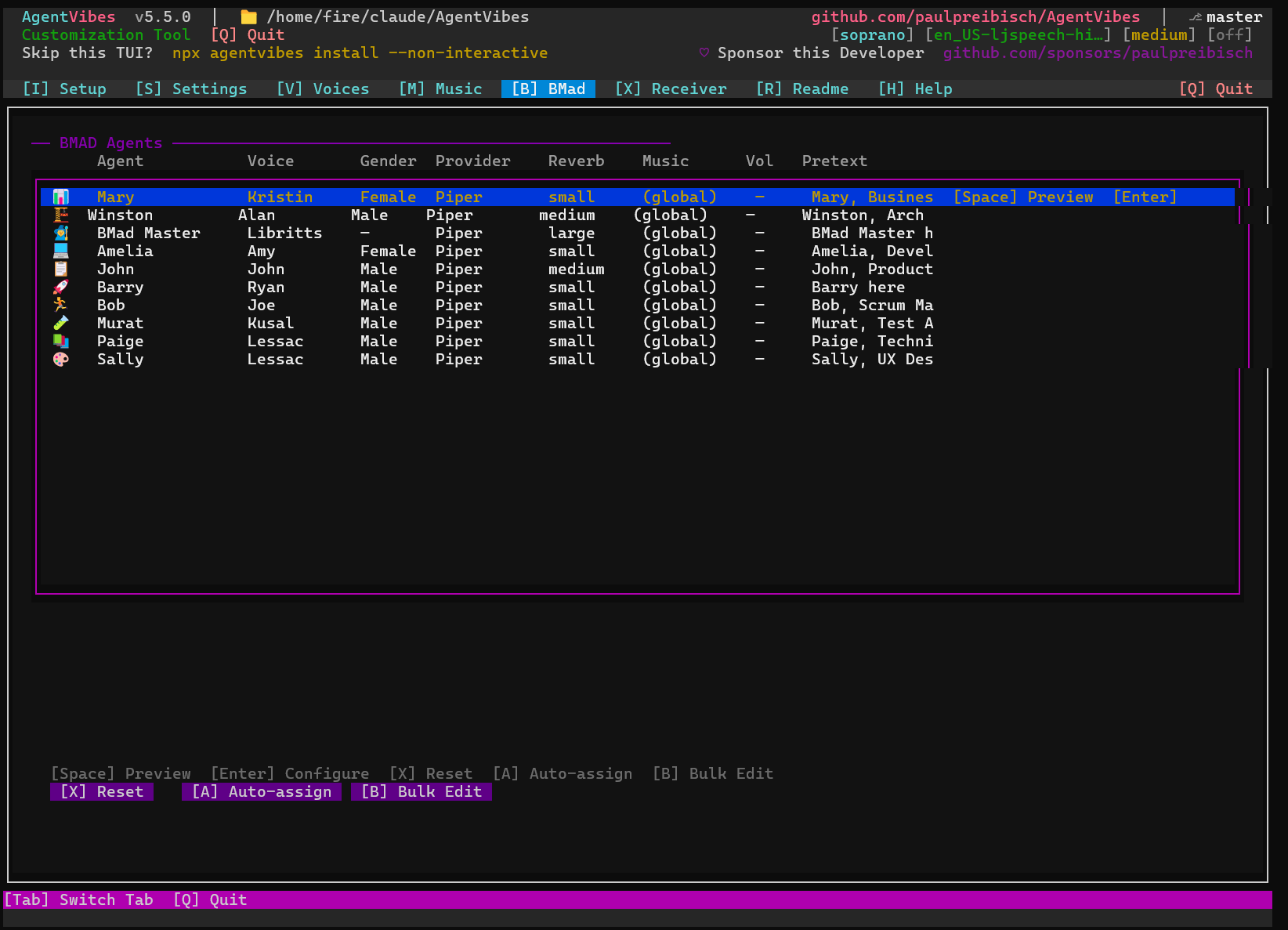
Per-LLM routing. Claude Code, Claude Desktop, Warp, OpenClaw — each LLM can have its own voice, effects, background music, and intro phrase, so every assistant sounds distinct.
Combinable audio effects. Stack reverb, echo, and chorus on any voice and preview live — from a subtle room to a cathedral with a cave echo.
Personalities & sentiment. Apply speaking styles (pirate, sarcastic, and more) to give the narration character.
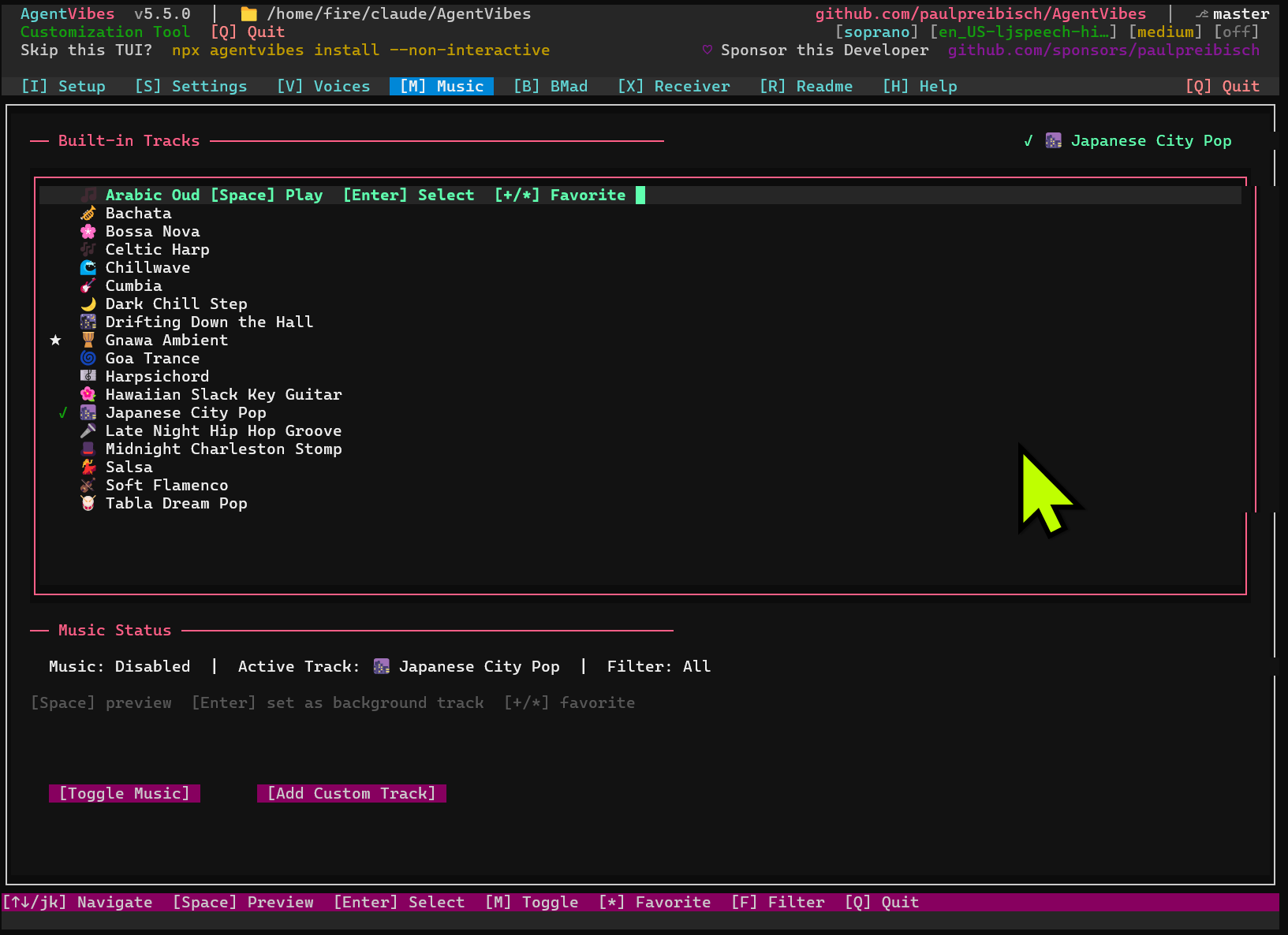
Background music. Play ambient soundtracks underneath the narration, with per-track volume control.
Languages & translation.
Narrate in the language you choose — e.g. /agent-vibes:set-language spanish.
Natural-language control (MCP). Every one of the 50+ slash commands has a plain-English equivalent through the MCP integration — type the command, or just ask.
Always under your control. Mute and unmute instantly, and toggle narration on or off per LLM — quiet when you need to focus, loud when you want the play-by-play.
Runs everywhere. Claude Code, Claude Desktop, Warp Terminal, OpenClaw, and even Android/Termux (Claude Code on your phone).
The TUI
Run npx agentvibes to configure everything visually:
| Tab | What it does |
|---|---|
| Setup | Pick per-LLM provider, voice, and audio effects |
| Voices (press V) | Browse and preview 900+ voices |
| Music | Manage background music |
| BMAD | Give each agent in a multi-agent team its own voice + auto-assign |
Voice providers — pick your tradeoff
Mix and match per LLM. Start free with a built-in engine, level up to neural when you want it. The free providers need no paid API — ElevenLabs is the only one that requires a key, and it's optional.
| Provider | Type | Cost | Notes |
|---|---|---|---|
| macOS Say | Built-in | Free | Zero config on Mac |
| Piper | Local, offline | Free | Linux/WSL/Windows · 900+ voices incl. LibriTTS |
| Windows SAPI | Built-in | Free | Zero setup on Windows |
| Soprano | Neural | Free | pip install soprano-tts |
| Kokoro | Local neural | Free | Runs on CPU (no GPU) · Chinese/Japanese/Korean |
| ElevenLabs | Cloud neural | Paid (API key) | Premium, most human-sounding |
See the Providers guide and the Voice Library for samples and setup.
Works with your stack
Claude Code (automatic voiced hooks) · Claude Desktop (natural-language control via MCP) · Warp Terminal · OpenClaw · Android / Termux (Claude Code on your phone)
50+ commands — slash or natural language
Every slash command has a natural-language MCP equivalent — type the command, or just ask in plain English.
| Slash command | Just say… |
|---|---|
/agent-vibes:switch Aria |
"Switch to Aria voice" |
/agent-vibes:list |
"List the available voices" |
/agent-vibes:personality pirate |
"Set the personality to pirate" |
/agent-vibes:set-language spanish |
"Set the language to Spanish" |
/agent-vibes:mute |
"Mute AgentVibes" |
Full reference: Commands · enable natural language: MCP Setup
Built for multi-agent (BMAD)
Running a full BMAD agent team? Every agent gets its own distinct voice, auto-assigned from your active provider. You don't just see who's talking — you hear it. The analyst, the architect, the dev, the QA — each one recognizable the instant they speak.
Prerequisites
- Node.js — required, for
npx. - bash 5.x — required on macOS (
brew install bash). - Audio tools — optional but recommended for effects and music.
- Piper voices — downloaded automatically on first use; nothing to install manually.
- No paid API is needed for the free providers; ElevenLabs is optional and cloud-based.
Documentation
| Guide | |
|---|---|
| Quick Start | Get voiced in minutes |
| MCP Setup | Natural-language control |
| Commands | Every slash command |
| Providers | Engine setup & samples |
| Voice Library | All 900+ voices |
| Windows Setup | Windows-specific steps |
| Troubleshooting | Common fixes |
| Security Hardening | Locking down remote setups |
| Release Notes | What's new · all releases → |
About
AgentVibes · v5.11.1 · Licensed under Apache-2.0
Built by Paul Preibisch — @997Fire on X · agentvibes.org · github.com/paulpreibisch/AgentVibes
Stop watching silent terminals. Start hearing your agents work.
If AgentVibes gives your agents a voice you enjoy, star the repo!
npx agentvibes install