
Pixel Agent
Pixel Agent is a Paperclip plugin that turns your company of AI agents into a live pixel-art office camera. Inside Paperclip it shows up under the display name Agent Pixels.
This repo (tomartec/pixel-agent) is maintained independently, built on the official Paperclip plugin SDK toolchain. It started from gcampton/Agent-Pixels — see Credits below.
What It Does
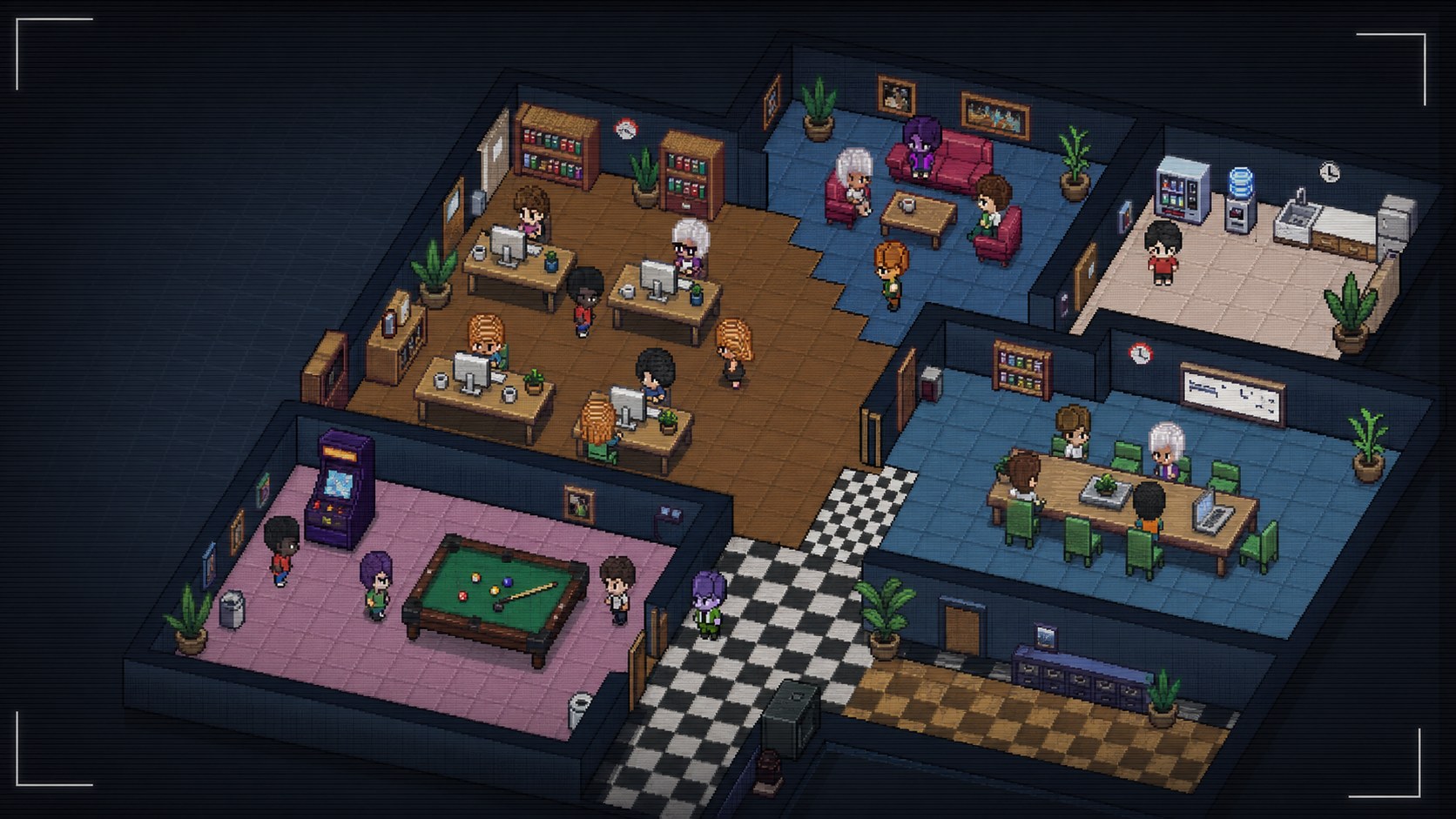
- Shows Paperclip agents walking around a multi-room pixel office.
- Moves working agents toward desks and idle agents toward lounge, kitchen, boardroom, and games areas.
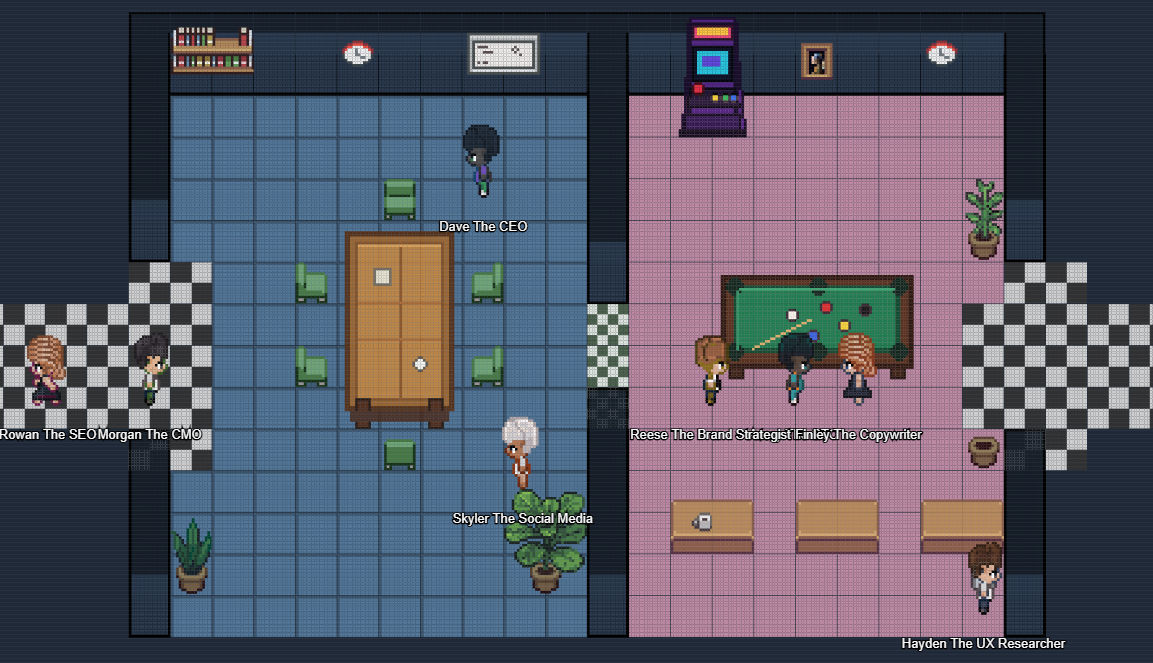
- Supports multiple camera views across the office layout.
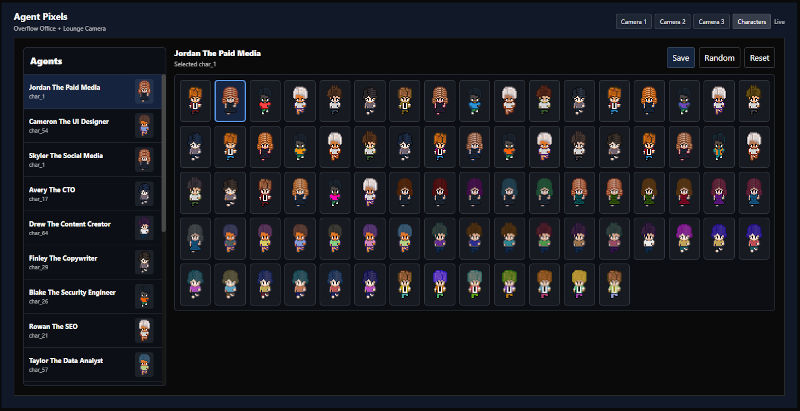
- Includes assignable character sprites so each agent can have a consistent look.
Screenshots
Install
Release Version
Note: a published release ZIP is only available once a GitHub Release has been created for this repo (see
pnpm run package:releaseand the release workflow). If there are no releases yet, use the Development Version below.
Use the release version if you just want to install the plugin. The release ZIP already contains the built plugin files, so you do not need the Paperclip source code or plugin SDK locally.
Prerequisites:
- Paperclip running
- The latest
agent-pixels-*.ziprelease file
Download the latest agent-pixels-*.zip from the GitHub Releases page, then unzip it into your Paperclip plugins folder:
~/.paperclip/plugins/After unzipping, you should have a folder like this:
agent-pixels-0.2.0/
  package.json
  README.md
  dist/
    manifest.js
    worker.js
    ui/
For Docker installs, unzip the release into a bind-mounted folder and install the path as seen from inside the container, for example:
/paperclip/plugins/agent-pixels-0.2.0Development Version
Use the development version if you want to edit the plugin or build it from source.
Prerequisites:
Node.js 20+
pnpm
Paperclip running (the CLI talks to it on
http://127.0.0.1:3100by default)The Paperclip CLI installed globally:
npm install -g paperclipai
The Paperclip plugin SDK is published on npm, so you do not need the Paperclip
source code to build. The SDK (@paperclipai/plugin-sdk) and shared types
(@paperclipai/shared) are regular dependencies installed by pnpm install.
Clone and build the plugin:
git clone https://github.com/tomartec/pixel-agent
cd pixel-agent
pnpm install
pnpm run build
The build output is written to dist/. The build uses the official SDK bundler
presets (@paperclipai/plugin-sdk/bundlers) via esbuild.config.mjs, plus the
asset-index step in scripts/asset-index.mjs.
Install the plugin into Paperclip from this local folder, then confirm it loaded:
paperclipai plugin install /absolute/path/to/pixel-agent
paperclipai plugin list
paperclipai plugin inspect 4d696994-e10d-4a05-a063-ca8b6e95de80
The CLI auto-detects local paths and sends isLocalPath: true; pass --local to
be explicit. Running paperclipai plugin install . from inside the folder works too.
While installed from a local path, Paperclip watches the rebuilt dist/ output —
run pnpm dev in another terminal to rebuild on save and have the worker reload.
To create a release ZIP after building (alternative distribution):
pnpm run package:releaseThis requires the zip command-line tool. The ZIP is written to release/.
npm Package
The plugin is also published as @tomartec/pixel-agent. In Paperclip's Install Plugin dialog, enter the npm package name directly:
@tomartec/pixel-agentDevelopment
Common scripts:
pnpm dev          # rebuild worker, manifest, and ui bundles on save
pnpm dev:ui       # local UI preview server with hot-reload events (port 4177)
pnpm run typecheck
pnpm test
pnpm run build
Self-Hosted Docker Install
For self-hosted Paperclip, clone this repo into a folder that is visible inside the Paperclip container. The install API must receive the container path, not the host path.
Example host path:
git clone https://github.com/tomartec/pixel-agent /volume4/docker/paperclip/plugins/agent-pixelsExample container path:
/paperclip/plugins/agent-pixelsThe plugin builds against the published @paperclipai/plugin-sdk and
@paperclipai/shared packages from npm, so no Paperclip source checkout is
required. Build it in place:
cd /path/to/pixel-agent
pnpm install
pnpm run build
In authenticated Paperclip deployments, create a CLI auth challenge and approve it as an instance admin:
curl -s -X POST http://<your-paperclip-host>/api/cli-auth/challenges \
  -H "Content-Type: application/json" \
  -d '{"requestedAccess":"instance_admin_required","command":"plugin install"}'
Open the returned approvalUrl, approve the request, then install using the returned boardApiToken:
curl -s -X POST http://<your-paperclip-host>/api/plugins/install \
  -H "Authorization: Bearer <boardApiToken>" \
  -H "Content-Type: application/json" \
  -d '{"packageName":"/paperclip/plugins/agent-pixels","isLocalPath":true}'
Note on the plugin id
The manifest id (4d696994-e10d-4a05-a063-ca8b6e95de80) is a UUID rather
than a human-readable string. This works around a Paperclip host bug where
/_plugins/:pluginId/ui/* 500s for non-UUID plugin ids whenever a plugin
declares a UI entrypoint. A UUID-shaped id sidesteps the bug; it is not the
recommended format and can be reverted once the upstream issue is fixed.
Assets
Character sprites live in:
public/assets/characters/Add new sprites as char_81.png, char_82.png, etc. The build script auto-detects char_*.png files and adds them to the plugin asset index.
Asset Dimensions
The plugin uses a 16px tile grid.
| Asset type | Location | Size |
|---|---|---|
| Character sprite sheet | public/assets/characters/char_*.png |
112x96 PNG |
| Character frame | inside each character sheet | 16x32 |
| Character sheet layout | inside each character sheet | 7 columns x 3 rows |
| Floor tile | public/assets/floors/floor_*.png |
16x16 |
| Wall tile sheet | public/assets/walls/wall_0.png |
64x128 |
| Furniture sprites | public/assets/furniture/** |
Multiples of 16px |
| Office layout | public/assets/default-layout-1.json |
21x22 tiles (336x352px) |
| Boardroom/kitchen layout | public/assets/agent-pixels-layout-boardroom-kitchen.json |
22x15 tiles (352x240px) |
| Combined camera map | generated in the UI | 68x22 tiles (1088x352px) |
Character sheets use three direction rows: front, back, and side. The opposite side direction is mirrored by the renderer.
Common furniture sizes currently in use:
| Asset | Size |
|---|---|
| Desk front | 48x32 |
| Desk side | 16x64 |
| PC sprites | 16x32 |
| Wooden/cushioned chairs | 16x32 or 16x16 |
| Sofa front/back | 32x16 |
| Sofa side | 16x32 |
| Boardroom table | 48x80 |
| Pool table | 80x48 |
| Arcade machine | 32x48 |
| Paintings/whiteboard | 16x32 or 32x32 |
| Plants | 16x32 or 32x48 |
Support
For bugs or feature requests on this fork, open an issue at tomartec/pixel-agent/issues.
Contributing
Pull requests are welcome for bug fixes, plugin improvements, new room assets, furniture, and character sprites.
Credits
This plugin is based on gcampton/Agent-Pixels by Garratt Campton, used here as the original reference implementation. For the original branding, ready-made Paperclip company packs, and the author's own support channel, see agent-pixels.com.