
@ternetin/opencode-codex-multiplexer
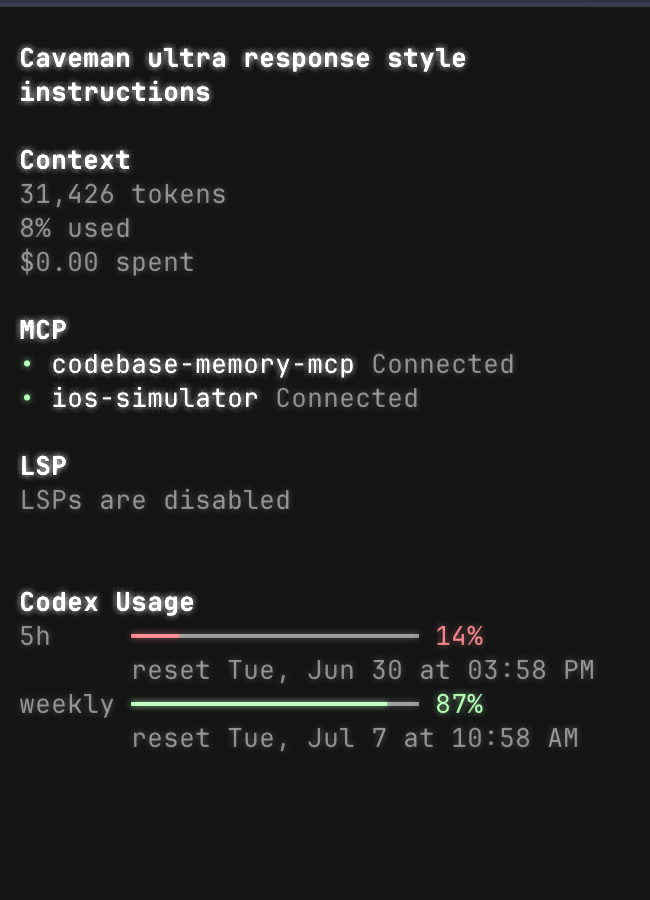
OpenCode TUI plugin for switching saved Codex/OpenAI auth profiles and showing Codex usage windows.
Install
Add the TUI plugin to ~/.config/opencode/tui.json:
{
  "plugin": ["@ternetin/opencode-codex-multiplexer"]
}
Optional hot-switch hook in ~/.config/opencode/opencode.json:
{
  "plugin": ["@ternetin/opencode-codex-multiplexer"]
}
Restart OpenCode after changing plugin config.
OpenCode installs npm plugins from config automatically. You do not need to run bun add unless you want to test or use the package from another JavaScript project.
For a local unpublished checkout, use absolute paths instead:
{
  "plugin": ["/Users/valentin/Documents/Perso/opencode-codex-multiplexer/src/tui.tsx"]
}
{
"plugin": ["/Users/valentin/Documents/Perso/opencode-codex-multiplexer/dist/server.js"]
}Commands
codexmx:savesaves currentauth.jsonandaccount.jsoninto a named Codex profile.codexmx:switchswitches current live Codex auth to a saved profile.codexmx:showshows redacted debug info about live and selected auth.
Slash commands:
/codexmx-save/codexmx-switchor/codexmx/codexmx-show
Storage
Profiles are stored under:
$OPENCODE_DATA_DIR/codexmx/profiles/Default OPENCODE_DATA_DIR is ~/.local/share/opencode.
Profile files:
<name>.auth.json<name>.account.json.current
Files are written with 0600 permissions.
Hot Switch
The TUI switch updates profile files immediately. Usage API refreshes without restart.
Model request hot-switch is best effort through the server plugin. It injects the selected profile bearer token in chat.headers for OpenAI/Codex-like providers. This affects new requests only. If OpenCode/provider code overwrites headers after plugin hooks, restart remains required.