
AxonRouter
Route AI coding tools across providers.
Use one local router for Claude Code, Codex, Cursor, Cline, OpenClaw, and compatible clients, with provider fallback, protocol translation, and dashboard control.
What Is AxonRouter?
AxonRouter runs on your machine and exposes one AI routing endpoint:
http://localhost:12711/v1Use it to connect coding tools to multiple AI providers without reconfiguring every client.
| Built For | What It Provides |
|---|---|
| AI routing | One endpoint for many coding tools |
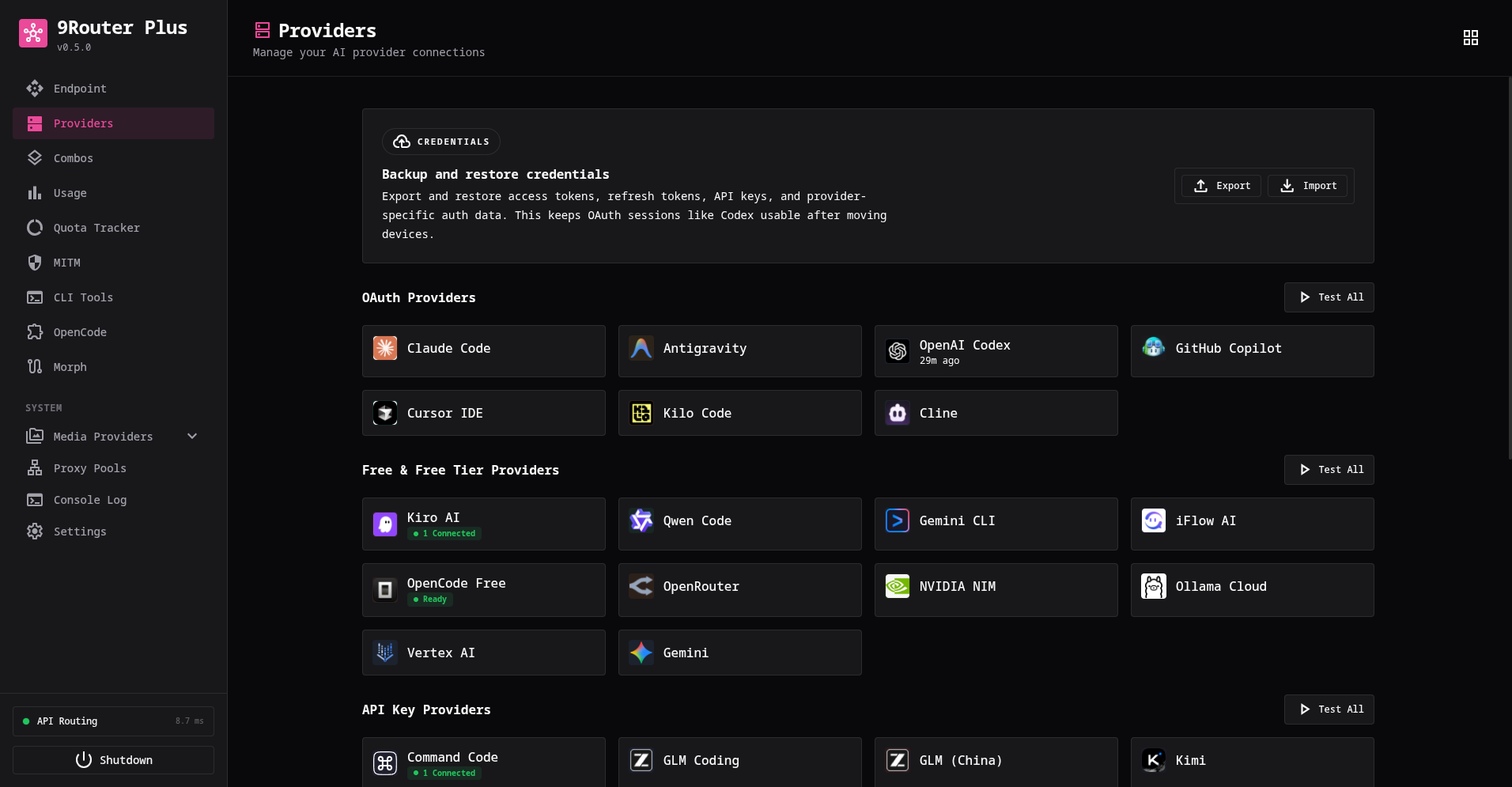
| Provider management | OAuth providers, API-key providers, model aliases, and combos |
| Fallback flows | Move between configured models/providers when needed |
| Visibility | Usage, request logs, route diagnostics, and provider status |
| Production safety | Dashboard auth, API-key controls, audit logs, and local SQLite storage |
Runtime data is stored in ~/.axonrouter on macOS/Linux and %APPDATA%\axonrouter on Windows.
Quick Start
Run Options
Choose one:
- Run directly with pnpm when AxonRouter should run on your machine as a local app.
- Run with Docker when you want an isolated service with a mounted
~/.axonrouterdata directory.
Run Directly
pnpm
pnpm install -g axonrouter
axonrouter
MCP stdio mode uses same binary:
axonrouter mcpaxonrouter starts core app and includes HTTP MCP endpoints such as /api/mcp/stream.
axonrouter mcp is stdio adapter for MCP clients and expects core app to already be running.
Run without global install:
npx axonrouterOpen The Dashboard
Dashboard: http://localhost:12711/dashboard
API:       http://localhost:12711/v1
Default port is 12711.
First-run dashboard password is 12345677. Sign in once, then change it immediately in Settings -> Security.
Docker
docker build -t axonrouter .
docker run -d \
  --name axonrouter \
  -p 12711:12711 \
  -v "$HOME/.axonrouter:/home/node/.axonrouter" \
  axonrouter
Docker stores runtime data in the mounted ~/.axonrouter directory.
First Setup
- Open
http://localhost:12711/dashboard. - Sign in with the default dashboard password
12345677. - Change the dashboard password in Settings -> Security.
- Add a provider in Providers.
- Optionally create an API key in Keys.
- Optionally create a fallback combo in Combos.
- Point your tool at
http://localhost:12711/v1.
AxonRouter does not support env-based dashboard password overrides. API-key routing is open by default until you create or configure an AxonRouter API key; after that, use keys from Keys for clients that call /v1.
Client Setup
Use these values in OpenAI-compatible clients:
Base URL: http://localhost:12711/v1
API Key:  [copy from Dashboard -> Keys, or omit before any AxonRouter API key is set up]
Model:    [model id or combo name]
Examples:
| Tool | Recommended Setup |
|---|---|
| Claude Code | Use Dashboard -> CLI Tools -> Claude Code |
| Codex CLI | Set OPENAI_BASE_URL=http://localhost:12711 and OPENAI_API_KEY |
| Cursor / Cline / Continue | Use provider type OpenAI Compatible |
| OpenClaw | Use Dashboard -> CLI Tools -> OpenClaw |
More tool-specific notes are in docs/DOCS.md.
Core Features
- AI router for OpenAI-compatible clients and Anthropic/Claude-style flows.
- Provider routing across OAuth providers, API-key providers, aliases, and fallback combos.
- Format translation between OpenAI, Claude, Gemini, and Responses-style flows.
- Usage visibility with token/request stats, request details, and route diagnostics.
- Security controls for dashboard auth, API keys, protected management routes, and audit logs.
- Docker/VPS support for persistent self-hosted deployments.
Service Management
AxonRouter can be installed as a system service for automatic startup:
# Install as system service (requires root/sudo)
sudo axonrouter install-service

# Check service status
axonrouter check-service

# Service control
sudo axonrouter start
sudo axonrouter stop
sudo axonrouter restart

# Remove service
sudo axonrouter uninstall-service
Commands also work with -- flags: --install-service, --check-service, --start, --stop, --restart, --uninstall-service.
Features:
- Auto-detects systemd or init.d
- Auto-replaces existing service if present
- Enables auto-start on boot
- Requires root/sudo (clear error message if not root)
Install From Source
git clone https://github.com/rickicode/AxonRouter.git
cd AxonRouter
pnpm install
pnpm run build
pnpm run start
More Documentation
- docs/DOCS.md - setup, providers, combos, deployment, security, and API notes.
- docs/ARCHITECTURE.md - internal architecture.
Validation
pnpm run lint
pnpm run typecheck
pnpm run test
pnpm run build
License
MIT License. See LICENSE.