
Skate — AI-Powered YouTube → Viral Shorts CLI
Turn long-form videos into viral-ready vertical shorts, entirely on your local machine. Free, no API keys, no cloud.
Saw a bunch of paid tools doing this — why pay when you can run it locally? Skate uses faster-whisper for transcription, Ollama for AI ranking, OpenCV for face tracking, and FFmpeg for rendering. Everything runs on your machine.
Requirements
| Tool | Purpose | Check |
|---|---|---|
| Bun | Runtime & package manager | bun --version |
| FFmpeg | Video cutting & processing | ffmpeg -version |
| yt-dlp | YouTube downloading | yt-dlp --version |
| Ollama | Local LLM for AI ranking | ollama --version |
| Python 3 | Whisper & OpenCV scripts | python3 --version |
| faster-whisper | Local transcription | installed via setup-python |
| OpenCV | Face detection | installed via setup-python |
Recommended Ollama Model
ollama pull llama3.2:3bInstallation
via npm (recommended)
npm install -g @r2hu1_npm/skate
skate setup
from source
git clone https://github.com/r2hu1/skate.git
cd skate
bun install
bun run setup
bun link
Python environment
skate setupThis prompts for a project directory, creates a virtual environment at ~/.skate/venv, and installs faster-whisper, opencv-contrib-python, and numpy. Output and temp dirs are set to <projectDir>/skate/output and <projectDir>/skate/temp.
CLI Usage
skate https://youtube.com/watch?v=abc123    # download + process
skate clip video.mp4                         # local file
skate analyze video.mp4                      # analyze only (skip render)
skate render video.mp4                       # render from cached analysis
skate watch ./videos                         # watch directory for new files
skate setup                                  # install Python deps (whisper + opencv)
skate doctor                                 # check dependencies

# With flags
skate clip video.mp4 --crop=1               # 1:1 square crop for mobile shorts
skate clip video.mp4 --captions=false       # no captions burned in
skate clip video.mp4 --crop=1 --captions=false  # both
Options
| Flag | Description |
|---|---|
--no-crop |
Disable face tracking, use center crop |
--crop=true |
Enable face tracking (default) |
--crop=1 |
Crop to 1:1 square for mobile shorts |
--captions=false |
Disable caption burn-in |
--no-captions |
Disable caption burn-in |
Configuration
Config is stored at ~/.skate/config.json and auto-created on first run.
{
  "model": "llama3.2:3b",
  "clips": 10,
  "minLength": 20,
  "maxLength": 90,
  "subtitleStyle": "minimal",
  "projectDir": ".",
  "outputDir": "./skate/output",
  "tempDir": "./skate/temp",
  "cacheDir": "~/.skate/cache",
  "ollamaUrl": "http://localhost:11434",
  "crop": true
}| Field | Default | Description |
|---|---|---|
model |
llama3.2:3b |
Ollama model for ranking |
clips |
10 |
Number of clips to produce |
minLength |
20 |
Minimum clip length (seconds) |
maxLength |
90 |
Maximum clip length (seconds) |
subtitleStyle |
minimal |
Subtitle style (minimal, tiktok, mrbeast) |
projectDir |
. |
Base project directory (set via skate setup) |
outputDir |
./skate/output |
Output directory (derived from projectDir) |
tempDir |
./skate/temp |
Working temp directory (derived from projectDir) |
cacheDir |
~/.skate/cache |
Cache directory |
ollamaUrl |
http://localhost:11434 |
Ollama API URL |
crop |
true |
Enable face tracking for smart vertical crop |
How It Works
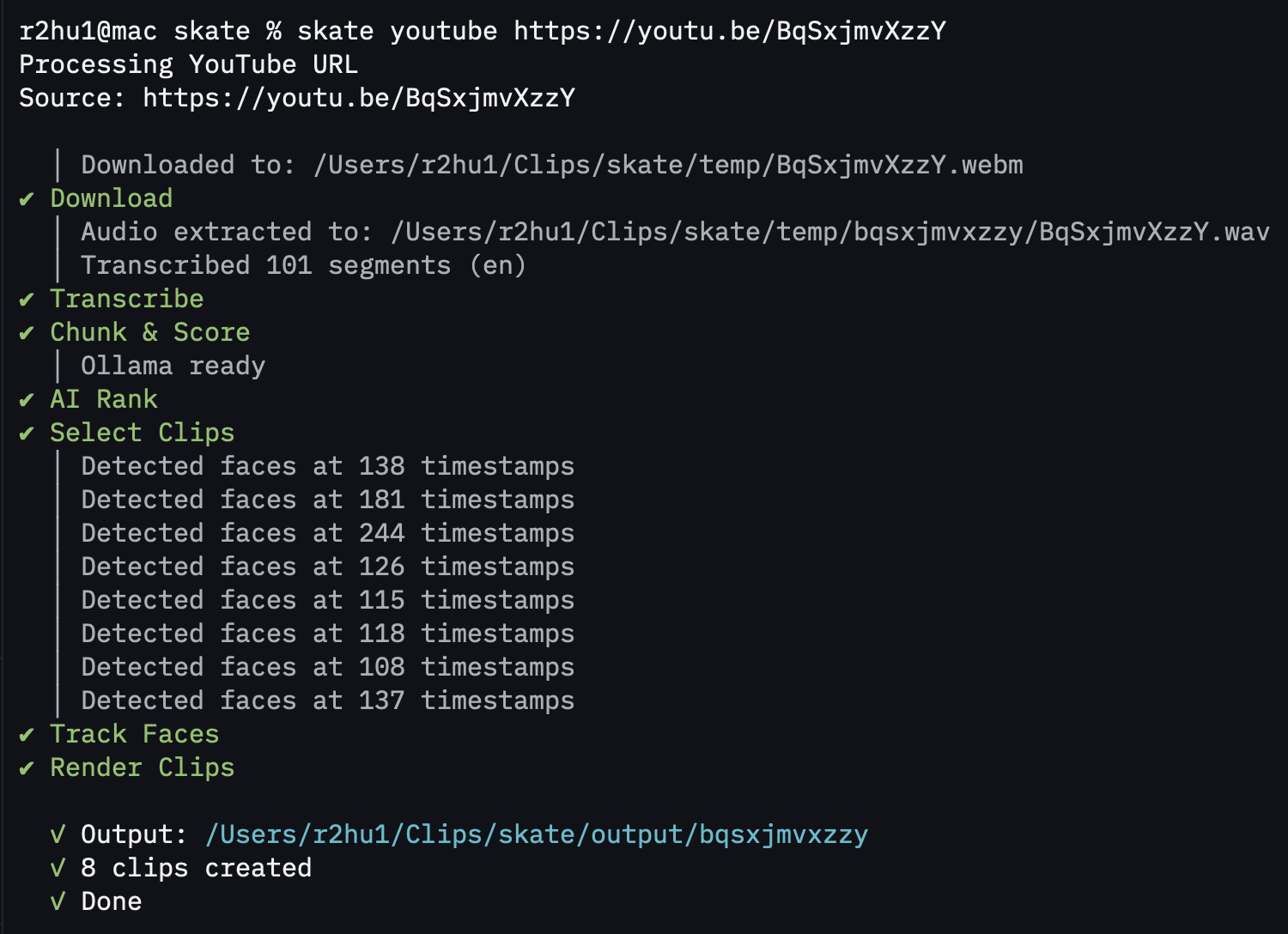
Input (URL or file)
  → Download (yt-dlp)
  → Transcribe (faster-whisper)
  → Chunk transcript into segments
  → Score heuristically (speaking rate, emotion, story, hooks)
  → Auto-start Ollama if not running
  → Rank with local LLM (hook strength, momentum, value)
  → Select best clips (no overlap)
  → Track faces for smart vertical crop
  → Render clips with subtitles burned in
  → Output organized shorts + captions
Pipeline Steps
| Step | Description |
|---|---|
| Download | Pulls video from YouTube via yt-dlp or uses local file |
| Transcribe | Runs faster-whisper for speech-to-text with word-level timestamps |
| Chunk | Splits transcript into 20-90 second natural segments |
| Score | Heuristic scoring — speaking rate, emotion, story structure, hooks |
| Rank | Sends top candidates to Ollama for virality scoring (auto-starts) |
| Select | Picks best clips based on combined heuristic + AI scores |
| Track Faces | Detects faces per frame via OpenCV for smart vertical crop |
| Render | Cuts clips, applies crop, burns in subtitles |
Output Structure
<projectDir>/skate/output/
└── <video-name>/
    ├── clips/
    │   ├── clip-01.mp4
    │   ├── clip-02.mp4
    │   └── clip-03.mp4
    ├── captions/
    │   ├── clip-01.srt
    │   └── clip-02.srt
    └── metadata.json
npm Scripts
| Script | Command |
|---|---|
skate |
Run Skate |
bun run dev |
Run with watch mode |
bun run typecheck |
TypeScript type checking |
bun run setup-python |
Create venv and install Python deps |
Caching
Skate caches aggressively at ~/.skate/cache:
- Downloaded video/audio files
- Transcripts
- Face tracking data
- Analysis results
Re-running is fast — only changed steps are re-executed.
Project Structure
skate/
├── scripts/
│   ├── face_detect.py           # OpenCV face detection
│   ├── whisper_transcribe.py    # faster-whisper transcription
│   └── requirements.txt         # Python dependencies
├── src/
│   ├── commands/
│   │   ├── clip.ts              # Process local video
│   │   ├── analyze.ts           # Analysis only pipeline
│   │   ├── render.ts            # Render from cached analysis
│   │   ├── watch.ts             # Watch directory mode
│   │   └── doctor.ts            # Dependency checker
│   ├── core/
│   │   ├── pipeline.ts          # Main pipeline orchestrator
│   │   ├── downloader.ts        # yt-dlp integration
│   │   ├── transcriber.ts       # Whisper bridge
│   │   ├── chunker.ts           # Transcript chunking
│   │   ├── scorer.ts            # Heuristic scoring
│   │   ├── ranker.ts            # AI ranking bridge
│   │   ├── tracker.ts           # Face tracking
│   │   ├── renderer.ts          # FFmpeg rendering
│   │   └── subtitles.ts         # SRT/ASS generation
│   ├── ai/
│   │   ├── prompts.ts           # LLM prompt templates
│   │   ├── ollama.ts            # Ollama API client
│   │   └── ranking.ts           # AI ranking logic
│   ├── vision/
│   │   ├── face.ts              # Face detection
│   │   ├── scene.ts             # Scene detection
│   │   └── crop.ts              # Smart crop path
│   ├── ui/
│   │   └── tui.ts               # Terminal spinner UI
│   ├── config.ts                # Configuration loader
│   ├── types.ts                 # TypeScript types
│   └── index.ts                 # CLI entry point
├── skate/output/                # Rendered clips
├── skate/temp/                  # Working files
├── package.json
├── tsconfig.json
└── README.md
Why Build This?
Every "AI shorts" tool out there charges $20-50/month or requires API keys that bill per minute. Skate is:
- 100% local — nothing leaves your machine
- Free — no subscriptions, no API costs
- Private — your videos never hit a third-party server
- Customizable — swap models, tweak prompts, adjust scoring