
A themeable React video player with a pluggable-provider architecture — translucent glass chrome, keyboard-first controls, and a small typed surface. Mux, raw files, and YouTube are built in.



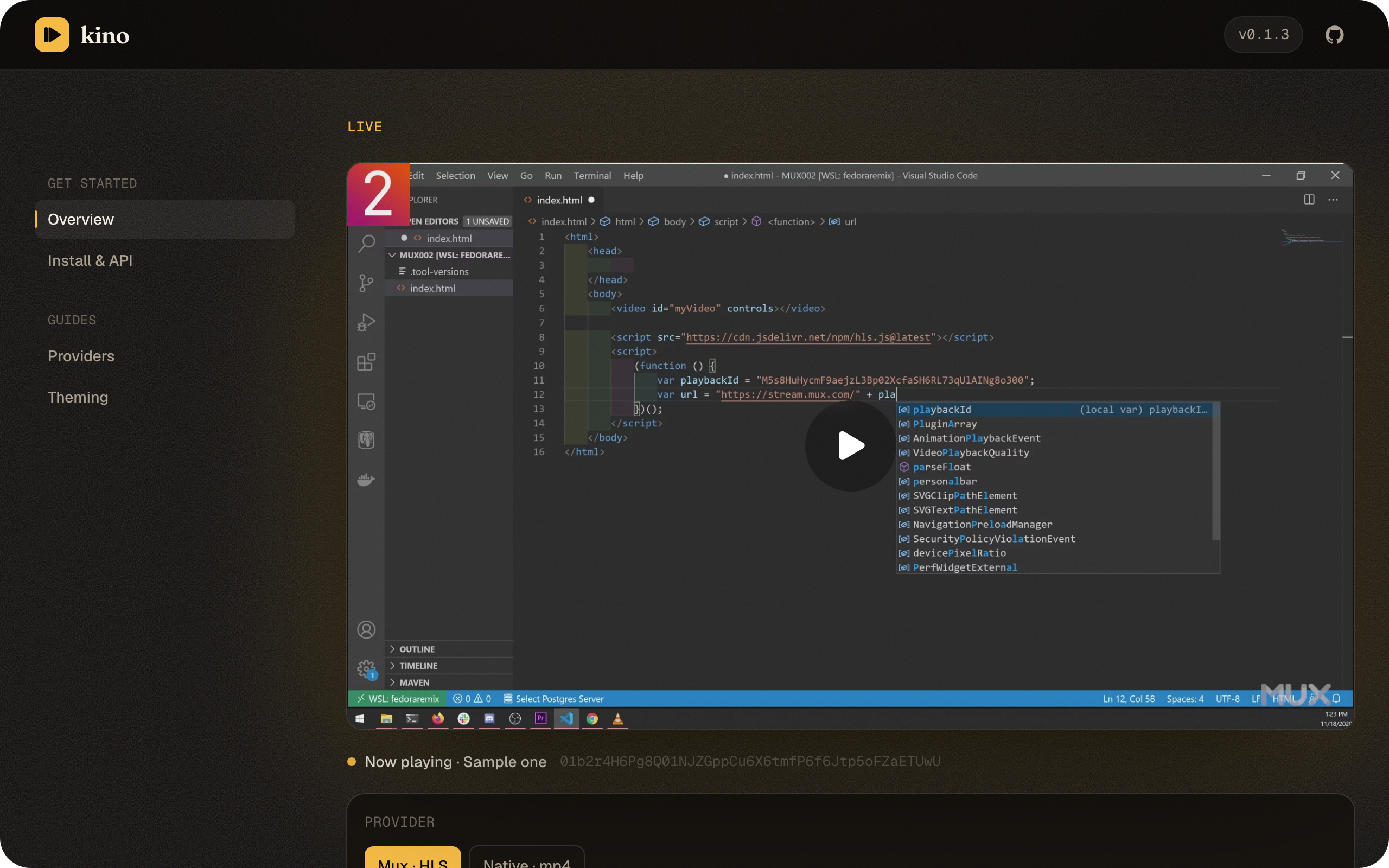
Try it live → kino.karnstack.com — drop in any public Mux playback ID, pick an accent, and play with the real glass UI.
kino ships the player UI and a provider contract. Each provider adapts a streaming engine to that contract, so the same glass chrome can sit on top of different backends. Four providers ship today: Mux (adaptive HLS via @mux/mux-video), Native (a plain <video> over any raw file URL), YouTube (the IFrame Player API wrapped in the same chrome), and Vimeo (the Vimeo Player SDK under the same chrome). Each lives behind its own entry point, so you only pull in the engine you use.
Install
pnpm add @karnstack/kinoThe Mux engine (@mux/mux-video) is pulled in transitively, so you do not install it yourself. React 19 is a peer dependency (react and react-dom >=19).
Quick start
import { MuxPlayer } from "@karnstack/kino/mux"
import "@karnstack/kino/styles.css"

export function Clip() {
  return (
    <MuxPlayer
      playbackId="your-playback-id"
      tokens={{ playback, thumbnail, storyboard }}
      accentColor="oklch(50.8% 0.118 165.612)"
    />
  )
}
Give the player a sized container. It fills 100% width and height of its parent, so wrap it in an element with the aspect ratio or dimensions you want.
Tokens are passed in
kino is auth-agnostic. For signed playback you mint the playback, thumbnail, and storyboard tokens server-side and hand them to the player through the tokens prop. The player never holds a signing key and never talks to your auth layer; it only appends the tokens you give it to the media, thumbnail, and storyboard URLs. For public playback you can omit tokens entirely.
Blur-up placeholder
Before the poster and first frame load, the video box is empty. Pass a small placeholder (a base64 data URI or a URL) and kino paints it behind the video as a blur-up; the sharp poster covers it once decoded, and it reappears briefly across source swaps.
<MuxPlayer playbackId="..." placeholder={blurDataUrl} />The poster itself stays the signed Mux thumbnail (kino derives it from playbackId + the thumbnail token), so placeholder is purely the instant low-res layer underneath.
Playing a raw URL
For a plain media URL (mp4, webm, ogg, …) — no Mux account or HLS engine — use the native provider. It puts the same glass chrome over a native <video> element, so this entry pulls in none of the Mux engine.
import { NativePlayer } from "@karnstack/kino/native"
import "@karnstack/kino/styles.css"

export function Clip() {
  return (
    <div style={{ aspectRatio: "16 / 9" }}>
      <NativePlayer
        src="https://example.com/clip.mp4"
        poster="https://example.com/clip.jpg"
        accentColor="oklch(50.8% 0.118 165.612)"
      />
    </div>
  )
}
Pass sidecar subtitles/captions via tracks, and kino renders the cues in its own styled overlay:
<NativePlayer
  src="https://example.com/clip.mp4"
  tracks={[
    {
      src: "https://example.com/en.vtt",
      srclang: "en",
      label: "English",
      default: true,
    },
  ]}
/>
NativePlayer also takes autoPlay, muted, loop, defaultRate, and crossOrigin (set the last when the media or a caption track is cross-origin). Quality switching hides itself since a raw file carries no rendition ladder.
Playing a YouTube video
For a YouTube source, use the YouTube provider. It drives the YouTube IFrame Player API under the same glass chrome, with kino owning the controls and keyboard map (the native YouTube UI is hidden).
import { YouTubePlayer } from "@karnstack/kino/youtube"
import "@karnstack/kino/styles.css"

export function Clip() {
  return (
    <div style={{ aspectRatio: "16 / 9" }}>
      <YouTubePlayer
        videoId="dQw4w9WgXcQ"
        accentColor="oklch(50.8% 0.118 165.612)"
      />
    </div>
  )
}
videoId accepts a bare id or any watch, youtu.be, embed, or shorts URL — kino resolves it (the parseYouTubeId helper is exported if you want it directly). It also takes autoPlay, muted, loop, defaultRate, and metadata.
Speed, fullscreen, and captions work. The captions menu lists the video's own subtitle tracks; YouTube renders the cues itself inside the embed, so they appear in YouTube's style rather than kino's caption overlay.
kino plays YouTube through the official IFrame Player API and, per YouTube's terms, doesn't obscure the player: before playback and while paused, YouTube shows its own thumbnail, play button, title, and logo, and kino's controls sit alongside them. A few things the API simply doesn't expose, so kino hides those controls: manual quality (YouTube dropped it — playback is always automatic), picture-in-picture, and scrub-preview thumbnails (storyboards aren't available to embeds).
Playing a Vimeo video
For a Vimeo source, use the Vimeo provider. It drives the Vimeo Player SDK under the same glass chrome, with kino owning the controls and keyboard map.
import { VimeoPlayer } from "@karnstack/kino/vimeo"
import "@karnstack/kino/styles.css"

export default function Watch() {
  return <VimeoPlayer videoId="291235566" accentColor="#00adef" />
}
For an unlisted video, pass the hash (or a share URL that contains it):
<VimeoPlayer videoId="123456789" hash="abcdef0123" />Chromeless playback (kino owning the controls) requires a paid Vimeo plan.
Theming
The quickest knob is the accentColor prop, which drives the scrubber fill, active menu items, and range controls.
<MuxPlayer playbackId="..." accentColor="oklch(50.8% 0.118 165.612)" />For deeper control, every visual is driven by CSS custom properties on the .kino root. Override them in your own stylesheet, or pass a theme object of property/value pairs to set them inline.
| Custom property | Default | Role |
|---|---|---|
--kino-accent |
oklch(50.8% 0.118 165.612) |
Accent color (progress, active items, ranges) |
--kino-radius |
12px |
Corner radius of glass surfaces |
--kino-surface |
color-mix(in oklab, black 55%, transparent) |
Glass surface fill |
--kino-surface-strong |
color-mix(in oklab, black 70%, transparent) |
Stronger surface (idle play button) |
--kino-border |
color-mix(in oklab, white 14%, transparent) |
Hairline borders |
--kino-text |
oklch(98% 0 0) |
Primary text and icons |
--kino-text-dim |
color-mix(in oklab, white 65%, transparent) |
Secondary text (timecode) |
--kino-blur |
18px |
Backdrop blur radius |
--kino-shadow |
0 8px 40px rgba(0, 0, 0, 0.45) |
Surface drop shadow |
--kino-ease |
cubic-bezier(0.22, 1, 0.36, 1) |
Shared transition easing |
.kino {
  --kino-accent: oklch(70% 0.15 250);
  --kino-radius: 16px;
  --kino-blur: 24px;
}
Keyboard shortcuts
The player is keyboard-first. Shortcuts are ignored while a text input, textarea, select, or contenteditable element is focused, and modifier-key combinations (Ctrl/Cmd/Alt) are passed through.
| Key | Action |
|---|---|
Space / K |
Play / pause |
< / > |
Decrease / increase playback rate (0.25 step) |
M |
Toggle mute |
C |
Toggle captions |
S |
Open the speed menu |
F |
Toggle fullscreen |
0-9 |
Seek to 0%-90% of the duration |
Capability gating
Controls hide themselves when the active provider or platform cannot support them, rather than presenting a dead button. The provider reports a capability set, and each control checks it:
- Quality switching is hidden when the engine exposes no renditions, and is off on iOS where the system owns adaptive playback.
- Custom-chrome fullscreen is off on iOS (the platform uses its native fullscreen for the underlying video element).
- Picture-in-picture is hidden when the browser does not support it.
- The captions menu appears only when the media actually carries subtitle or caption tracks.
Local development
pnpm install
pnpm dev        # demo harness at http://localhost:5173
pnpm test       # vitest
pnpm build      # bundle to dist/
pnpm typecheck  # tsc --noEmit
pnpm lint       # eslint
pnpm dev runs the playground in demo/ — the real kino glass UI on the Mux provider, playing public sample assets. Paste any public Mux playback ID, switch accent colors, and tweak the corner radius live; no Mux account or signed tokens required. The same playground is deployed at kino.karnstack.com.
Roadmap
- AirPlay support
- Chapters
- Documented headless primitives for fully custom chrome
License
MIT