
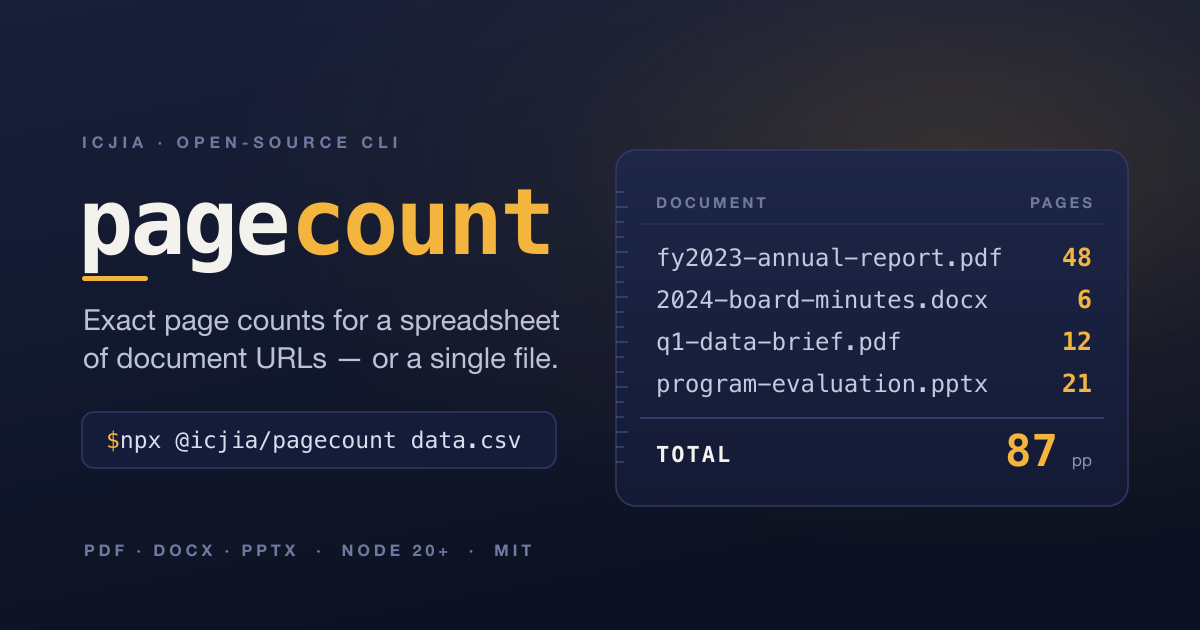
Exact page counts for a spreadsheet of document URLs — or a single file, from the command line.




pagecount
pagecount is a command-line tool with two modes, chosen automatically by what you give it:
- Spreadsheet mode — given a CSV or XLSX with a column of public document URLs
(PDF, DOCX, PPTX), it reads each file, counts its pages, and writes the spreadsheet
with
programmatic_page_count+programmatic_page_count_notescolumns appended — as both a.csvand an.xlsx. - Document mode — given a single document (a local file or a URL), it prints the page count and exits, writing nothing.
It is published on npm as @icjia/pagecount —
implemented, tested, and security-hardened (149 passing tests; see the
red-team / blue-team audit).
Contents
- Quick start
- Requirements
- Install
- Usage — spreadsheet mode · document mode · filtering rows
- CLI reference — recipes by flag
- User stories
- How page counts are determined
- Output & errors
- Security — red-team / blue-team audit
- Development
- License
Quick start
No install required — run it straight from npm with npx:
# count one document (prints "report.pdf · pdf · 12 pages")
npx @icjia/pagecount report.pdf

# count a document on the web (nothing is written to disk)
npx @icjia/pagecount https://example.org/report.pdf

# process a spreadsheet of URLs → writes a counted .csv + .xlsx beside it
npx @icjia/pagecount data.csv
The first npx run downloads the package; add -y (npx -y @icjia/pagecount …) to skip
the install prompt in scripts. Counting documents many times a day? Install it
globally so each call is instant.
Requirements
- Node.js 20+ (uses the built-in
fetch). - LibreOffice (optional) — only needed to compute exact page counts for DOCX files that don't carry cached page metadata. See DOCX page counts.
- poppler (
pdfinfo) (optional) — fallback for counting encrypted or unusual PDFs the built-in parser can't read.brew install poppler.
Install
Run without installing (best for occasional use — always runs the latest version):
npx @icjia/pagecount data.csvInstall globally (best for frequent use — no per-run download):
npm i -g @icjia/pagecount
npm i -g github:ICJIA/pagecount            # or straight from GitHub (builds on install)
pagecount data.csv                          # now on your PATH
From a clone (for development):
git clone https://github.com/ICJIA/pagecount.git
cd pagecount
npm install
npm run build
npm link          # puts `pagecount` on your PATH, pointing at your working copy
Usage
Spreadsheet mode
pagecount data.csvReads ./data.csv, finds the column of document URLs (preferring links to actual
pdf/docx/pptx files), counts pages, and writes:
./.pagecount-output/data-pagecount.csv
./.pagecount-output/data-pagecount.xlsx
The output is the original spreadsheet with two columns appended at the far right:
programmatic_page_count (the count) and programmatic_page_count_notes (why a row is
blank — e.g. corrupt, unsupported, no-url, skipped (filtered out)). They're always added, even if the
sheet already has a "Page Count" column. Both a .csv and an .xlsx version are written every run. The .pagecount-output directory is created
beside the input file (and reused if it already exists). The same works for .xlsx,
preserving the workbook's formatting and any extra sheets.
Multiple files and globs — each writes to its own .pagecount-output beside it:
pagecount *.csv
pagecount survey.csv ../reports/q3.xlsx
See samples/example.csv for the expected input shape — a
column of public document URLs (swap in your own URLs to try it).
Document mode
Check a single file or URL without touching a spreadsheet:
pagecount report.pdf
# report.pdf · pdf · 12 pages

pagecount slides.pptx -q
# 12

pagecount https://example.org/a.pdf --json
# {"file":"https://example.org/a.pdf","type":"pdf","pageCount":8,"status":"ok"}
Nothing is written to disk. Exits non-zero if the file can't be counted, so it composes in scripts:
if [ "$(pagecount -q narrative.pdf)" -gt 15 ]; then
  echo "narrative.pdf exceeds the 15-page limit"
fi
Filtering rows (remediation)
By default, spreadsheet mode counts pages only for rows whose Recommendation column
equals remediate (case-insensitive). This gives remediation vendors a single number
per site: the TOTAL row sums just the pages marked for remediation. Non-matching rows are
kept in place with a blank programmatic_page_count and skipped (filtered out) in the
notes column — and are never downloaded.
pagecount "samples/ICJIA R&A publications-as of 2026-05-29(DVFR).csv"- Different column or values:
pagecount data.csv --filter-column Action --filter-value fix,review - Count every row (e.g. a sheet with no disposition column, or when you want all of
them):
pagecount data.csv --no-filter
If a sheet has no Recommendation column and you didn't pass --filter-column,
pagecount prints a one-line notice and counts every row.
CLI reference
pagecount [options] <input...><input> is one or more spreadsheets (.csv/.xlsx) and/or documents
(.pdf/.docx/.pptx or an http(s) URL). Mode is chosen per argument.
| Option | Description | Default |
|---|---|---|
-o, --output <dir> |
(spreadsheet) force one shared output dir | .pagecount-output beside each file |
-c, --column <name|index> |
(spreadsheet) URL column, by header name or 1-based index | auto-detect (prefers document links) |
--count-column <name> |
(spreadsheet) count column name (a <name>_notes column is added too) |
programmatic_page_count |
--filter-column <name|index> |
(spreadsheet) only count rows matching --filter-value; name or 1-based index |
Recommendation |
--filter-value <values> |
(spreadsheet) comma-separated value(s) to match (exact, case-insensitive) | remediate |
--no-filter |
(spreadsheet) count every row, ignoring the default filter | off |
--suffix <text> |
(spreadsheet) output filename suffix; "" to disable |
pagecount |
--json |
emit JSON (sidecar file in spreadsheet mode; stdout in document mode) | off |
-q, --quiet |
(document) print only the bare page number | off |
--concurrency <n> |
parallel downloads per spreadsheet (capped at 64) | 8 |
--timeout <sec> |
per-URL fetch timeout | 30 |
--max-size <mb> |
skip files larger than this | 100 |
--docx-render |
force LibreOffice render for DOCX | auto when available |
--allow-private-hosts |
allow fetching loopback/private/link-local hosts | off (blocked for SSRF safety) |
-h, --help |
show help | |
-V, --version |
show version |
Recipes — examples by flag
# pick the URL column explicitly (by header name or 1-based index)
pagecount data.csv -c "File URL"
pagecount data.csv -c 4

# rename the appended count column (a <name>_notes column is added alongside)
pagecount data.csv --count-column pages

# filter on a different column / values (exact, case-insensitive, comma = OR)
pagecount data.csv --filter-column Action --filter-value fix,review

# count every row, ignoring the default Recommendation=remediate filter
pagecount data.csv --no-filter

# write every output into one shared folder instead of beside each file
pagecount *.csv -o ./out

# change or drop the "-pagecount" filename suffix
pagecount data.csv --suffix counts     # → data-counts.csv / .xlsx
pagecount data.csv --suffix ""         # → data.csv / .xlsx (no suffix)

# emit JSON (sidecar file for spreadsheets; stdout for a single document)
pagecount data.csv --json
pagecount report.pdf --json | jq .pageCount

# document mode: just the number
pagecount report.pdf -q

# tune the network for big runs
pagecount big.csv --concurrency 16 --timeout 60 --max-size 250

# force a LibreOffice render for DOCX (exact count even when metadata is present)
pagecount data.csv --docx-render

# allow internal/loopback hosts — off by default for SSRF safety; trusted inputs only
pagecount internal.csv --allow-private-hosts
User stories
Real ways people put pagecount on their PATH and wire it into a shell. Each adds the
alias to ~/.zshrc (zsh) or ~/.bashrc (bash) — source the file or open a new shell
after editing.
1. The accessibility remediation vendor
"A state agency sent me a 1,400-row audit export. I bid remediation by the page, and I need the total pages of just the documents flagged
remediate— not the whole library."
# ~/.zshrc — count only the pages an audit export marks for remediation
alias remediate-pages='npx -y @icjia/pagecount'
remediate-pages "Publications audit 2026-05-29.csv"
# …-pagecount.csv → 150 rows · 14 counted · 132 filtered · 3 no-url · 1 failed · 318 total pagesWhy: the built-in Recommendation = remediate filter means the TOTAL row is exactly
the billable scope — measured from the real source files, not estimated. Every excluded
row is visibly marked skipped (filtered out), so the agency can see what you did and
didn't count. (Pairs with the kind of CSV a tool like SiteImprove exports.)
2. The records clerk who just needs "how many pages?"
"Before I print, redact, or charge for copies, I want a page count — for a local file or a link someone emailed me — without opening Acrobat."
# ~/.bashrc — print just the number, for a path or a URL
alias pages='npx -y @icjia/pagecount -q'
pages annual-report.pdf # 48
pages https://example.org/doc.pdf # 8Why: -q prints the bare number so it drops straight into scripts and pipelines, and
document mode counts a URL without downloading anything you have to clean up afterward.
3. The grants administrator enforcing a page limit
"Narrative attachments must be 15 pages or fewer. I want to flag the over-limit PDFs in a submissions folder before a human reviews them."
# ~/.zshrc — pass/fail a single PDF against a page limit
check-limit() { [ "$(npx -y @icjia/pagecount -q "$1")" -le 15 ] && echo "OK   $1" || echo "OVER $1"; }
for f in submissions/*.pdf; do check-limit "$f"; done
# OK submissions/applicant-01.pdf
# OVER submissions/applicant-02.pdfWhy: an exact count plus a non-zero exit on failure turns a manual page-by-page check into a one-line gate.
4. The archivist building a catalog
"I have an XLSX inventory of our digital collection with a 'File URL' column. I want a page count beside every item — and I need to keep the workbook's formatting and tabs."
# ~/.zshrc — catalog every row, ignoring the remediation filter
alias inventory='npx -y @icjia/pagecount --no-filter'
inventory collection.xlsx
# writes .pagecount-output/collection-pagecount.xlsx (+ .csv)Why: --no-filter counts all rows; XLSX mode appends to a copy of the original
workbook so cell formatting and extra sheets survive, and you still get a plain .csv for
downstream tools.
5. The developer wiring it into CI
"A nightly job pulls a published spreadsheet of report URLs. I want machine-readable output and a clear failure signal when a document can't be counted."
# ~/.zshrc — JSON in, jq out
pagesum() { npx -y @icjia/pagecount --json "$@"; }
pagesum docs.csv >/dev/null
jq '.summary | {counted, failed, totalPages}' .pagecount-output/docs-pagecount.json
# { "counted": 142, "failed": 1, "totalPages": 5120 }Why: --json gives a stable schema (a sidecar file for spreadsheets, stdout for a
single document), the process exits non-zero on a failed document, and
--concurrency / --timeout / --max-size keep big runs predictable on a CI box. For a
pinned, network-free CI install, drop npx and use npm i -g @icjia/pagecount@0.2.3.
npxvs. global install.npx -yalways fetches the latest published version — great for occasional or always-current use. If you callpagecountconstantly, a global install (npm i -g @icjia/pagecount) removes the per-run download; alias the installed binary instead, e.g.alias pages='pagecount -q'.
How page counts are determined
| Type | Method | Exact? |
|---|---|---|
read from the file (with a pdfinfo/poppler fallback for encrypted/unusual PDFs) |
yes | |
| PPTX | slide count from presentation.xml |
yes |
| DOCX | see below | depends |
DOCX page counts
A .docx file has no intrinsic page count — pagination only exists once the
document is rendered (by Word, LibreOffice, etc.) and depends on fonts, margins, and
page size. pagecount handles DOCX in two ways:
- Cached metadata (default): Word and most editors store a
<Pages>value in the file when they save.pagecountreads it directly — fast, no extra tools. - Render fallback: if that value is missing and LibreOffice is installed (or
you pass
--docx-render),pagecountrenders the document to PDF and counts the pages — the authoritative count.
If a DOCX has no cached value and LibreOffice isn't available, its
programmatic_page_count is left blank (spreadsheet mode) or reported as an error
(document mode). Counted DOCX rows are flagged as an estimate in the notes column —
pagination depends on fonts and margins.
Output & errors (spreadsheet mode)
Rows without a full
http(s)URL get a blankprogrammatic_page_countandno-urlinprogrammatic_page_count_notes.Rows whose URL fails (404, timeout, unsupported/corrupt file, encrypted PDF) also get a blank count, with the reason in
programmatic_page_count_notes; failures are also counted in the terminal summary:data.csv → .pagecount-output/data-pagecount.csv 150 rows · 14 counted · 132 filtered · 3 no-url · 1 failed · 318 total pages failed: 1 timeoutAdd
--jsonfor a sidecar file with the full per-row detail (URL, type, count, status, error).
Security — red-team / blue-team audit
pagecount fetches arbitrary URLs from your spreadsheet and parses attacker-influenceable
files (PDFs and ZIP-based DOCX/PPTX), so it is built to defend against hostile input. The
findings below come from a focused red-team / blue-team audit of the trust boundaries —
adversarial probing of the SSRF guard, the decompression caps, the regexes, the XML
parsers, the subprocess calls, and the spreadsheet writer.
Threat model
pagecount is a local CLI run by an operator over their own dataset, not a
network-exposed service. The untrusted inputs are: (1) URL strings in the spreadsheet,
(2) the bytes of downloaded files (PDF / ZIP / XML), and (3) cell text in the input
sheet (which is written back out). CLI flags and environment variables are operator-
controlled and trusted. The worst realistic outcome from hostile input is therefore a
denial of service against the operator's own process (a hang or an out-of-memory
crash), not remote code execution or cross-tenant access.
Audit history
Each red/blue-team audit is logged below — the most recent is expanded; older audits stay
collapsed in a <details>. An audit records the defenses that held under adversarial
probing and the findings it surfaced, each with its remediation and current status.
2026-06-23 · audit of v0.2.2 — 7 findings, all resolved
Three independent red-team agents adversarially probed the SSRF guard, the decompression caps, every regex, the XML parsers, the subprocess calls, and the spreadsheet writer (with live proofs-of-concept). The blue-team fixes below all shipped with regression tests (149 passing).
Defenses verified to hold
- SSRF protection. URLs are validated by resolving DNS and rejecting any host that is
(or resolves to) a loopback / private / link-local / CGNAT address. The host is
normalized through the same WHATWG URL parser the HTTP client uses, so obfuscated
forms collapse to the same literal the guard checks — alternate IPv4 encodings
(decimal
http://2130706433/, octal, hex, short), IPv4-mapped / IPv4-compatible / 6to4 / NAT64 IPv6, Unicode/IDNA homoglyphs, and credentialed URLs (http://x@127.0.0.1/) are all blocked. Every redirect hop is re-validated and every address a host resolves to is checked. Non-http(s)schemes are refused. - Download size limits. A
Content-Lengthpre-check plus a running byte cap while streaming to a temp file enforce--max-sizeeven when the server lies about the length. Node'sfetchtransparently decompressesContent-Encoding: gzip/br, and the cap counts decompressed bytes with backpressure — a gzip bomb is caught with memory staying flat (a 400 MB bomb peaked at ~14 MB RSS in testing). - Zip-bomb caps. DOCX/PPTX archives are bounded (50 MB per entry, 200 MB total declared-uncompressed, 4096 entries). The classic "declare small, inflate huge" bomb fails outright — the decompressor writes into a fixed-size output buffer and truncates.
- XML attacks. The XML parser (fast-xml-parser v5) does not resolve external
entities (no XXE), drops nested entities and enforces hard expansion caps (no
billion-laughs), and builds null-prototype objects with
__proto__renamed (no prototype pollution). - No ReDoS. Every regular expression in the codebase is linear / bounded — confirmed with pathological inputs.
- No command / argument injection. LibreOffice and
pdfinfoare spawned with argv arrays (never a shell), downloaded files use a hard-coded temp basename, and local paths are absolutized — so an attacker-controlled filename can neither inject a shell command nor smuggle a leading--option. - Formula-injection defense. Output cells beginning with a formula trigger
(
=,+,-,@, tab, CR) are prefixed with'so spreadsheet apps treat them as text. This is applied to every output cell — headers, data, and the TOTAL row — in both the CSV writer and both XLSX writers.
Findings & remediations — all resolved in this audit:
| Sev | Finding | Status | Fix shipped |
|---|---|---|---|
| High | zip64 entry-count DoS — a ~100-byte DOCX/PPTX with a crafted zip64 end-of-central-directory record can declare up to 2³² central-directory entries; the synchronous unzip loops once per entry, freezing the event loop (and its own timers) for minutes. |
Fixed | assertSaneArchive rejects an archive whose declared entry count can't fit in the file (count × 46 > size) before unzipping. → src/zip.ts, test/zip-hardening.test.ts |
| High | Untrusted PDF parsed with no timeout / no decompression cap — PDFDocument.load ran in-process and synchronously; a ≤100 MB PDF whose FlateDecode streams inflate to multi-GB could OOM the whole process. |
Fixed | PDF parsing moved to an isolated worker (dist/pdf-worker.js) bounded by a 30 s wall-clock timeout and a 768 MB heap cap; on breach the worker is terminated and the row is reported too-large. A graceful in-process fallback keeps counting working if the worker can't start. → src/counters/pdfLoad.ts, pdfWorker.ts, test/counters/pdf.test.ts |
| Med | Memory amplification × concurrency — the per-file declared-uncompressed cap (≈200 MB) × up to 64 concurrent parses is a multi-GB peak from tiny inputs. | Fixed | ZIP loading now inflates only the entries each format needs (docProps/app.xml, ppt/presentation.xml, slide parts) via a name filter, so media/fonts are never decompressed. → src/zip.ts, test/zip-hardening.test.ts |
| Low | sanitizeCell omitted \n — the formula-injection guard caught \t/\r but not \n, so a cell beginning \n=… could be written back unprefixed. |
Fixed | Added \n to the trigger set (/^[=+\-@\t\r\n]/). → src/spreadsheet/sanitize.ts, test/spreadsheet/sanitize.test.ts |
| Low | Reserved IPv4 ranges not blocked — 198.18.0.0/15, 192.0.0.0/24, and 224.0.0.0–255.255.255.255 passed the SSRF guard. |
Fixed | Added these ranges to the private-address check. → src/ssrf.ts, test/ssrf-reserved.test.ts |
| Low | Temp-dir leak on open() failure — a failed fs.open() after mkdtemp left the temp dir behind. |
Fixed | The temp dir is removed if opening the destination file throws. → src/fetch.ts, test/fetch.test.ts |
| Low | Input double-buffering — the file was read into a Buffer and then copied into a Uint8Array. |
Fixed | ZIP loading uses a zero-copy Uint8Array view over the file Buffer. → src/zip.ts |
Accepted residual risks
- DNS rebinding / TOCTOU. The address validated during the SSRF check can differ from
the one the socket later connects to (a malicious resolver can answer "public" during
validation and "private" at connect time). Closing this requires pinning the validated
IP for the actual connection. Until then, do not run
pagecountas a network-exposed service against untrusted input. - PDF off-heap memory isn't hard-bounded. The worker's heap cap doesn't bound off-heap
ArrayBuffers (where decompression lands); the wall-clock timeout is the backstop, and a worker that does exhaust memory fails in isolation (ERR_WORKER_OUT_OF_MEMORY) without taking down the main process. - DOCX page counts are estimates — pagination depends on fonts, margins, and page size (see DOCX page counts).
Operating safely
- The worker sandbox and the zip64 guard contain the two High findings, but the
DNS-rebinding residual still means
pagecountshould stay a batch CLI over data you control — not a service fronting untrusted submissions. - Keep
--max-size,--timeout, and--concurrencyconservative on shared/CI hosts, and run under an OS resource limit (e.g.ulimit -v) or container memory cap so a hostile file can only hurt one short-lived process. - Keep dependencies (
pdf-lib,fast-xml-parser,fflate,exceljs) up to date — the in-process parsers are the largest attack surface.
These mitigations cover the common cases; they are not a substitute for fully sandboxing genuinely hostile input.
Development
Requires Node 20.19+ for the dev toolchain (the vite 8 / vitest 4 test stack); the
published CLI itself runs on Node 20+. The repo's .nvmrc pins a compatible version.
npm install
npm run build      # bundle to dist/ with tsup (emits cli.js + the pdf-worker.js sandbox)
npm test           # vitest (149 tests)
npm run typecheck  # tsc --noEmit
The assets/og-image.svg source and its rendered assets/og-image.png (1200×630) are the
project's social/banner image; re-render with rsvg-convert -w 1200 -h 630 assets/og-image.svg -o assets/og-image.png after editing the SVG.
See the design spec for architecture and implementation details.
License
MIT 2026 Illinois Criminal Justice Information Authority