A Powerful Git Workflow CLI Tool




Features
- Intuitive API Design - Simple and easy-to-understand command interface
- Enhanced Git Operations - Wraps complex git commands into user-friendly methods
- Shell Utilities - Built-in shell helpers for common development tasks
- Well Tested - 422+ test cases with high coverage, ensuring stability and reliability
Quick Start
Guide: Getting Started Config: Configuration Reference
# Initialize gitmars in your project
gitm init

# View current configuration
gitm config list [option]

# Upgrade to latest version
# Use -m/--mirror for Taobao registry (faster in China)
# Mac:
sudo gitm upgrade -m -c npm
# Windows (PowerShell or CMD):
gitm upgrade latest -m -c npm.cmd

# Check version
gitm -v

# Show help
gitm --help
gitm copy --help
Installation
# Using npm
npm install -g gitmars

# Using yarn
yarn global add gitmars
Workflow Models
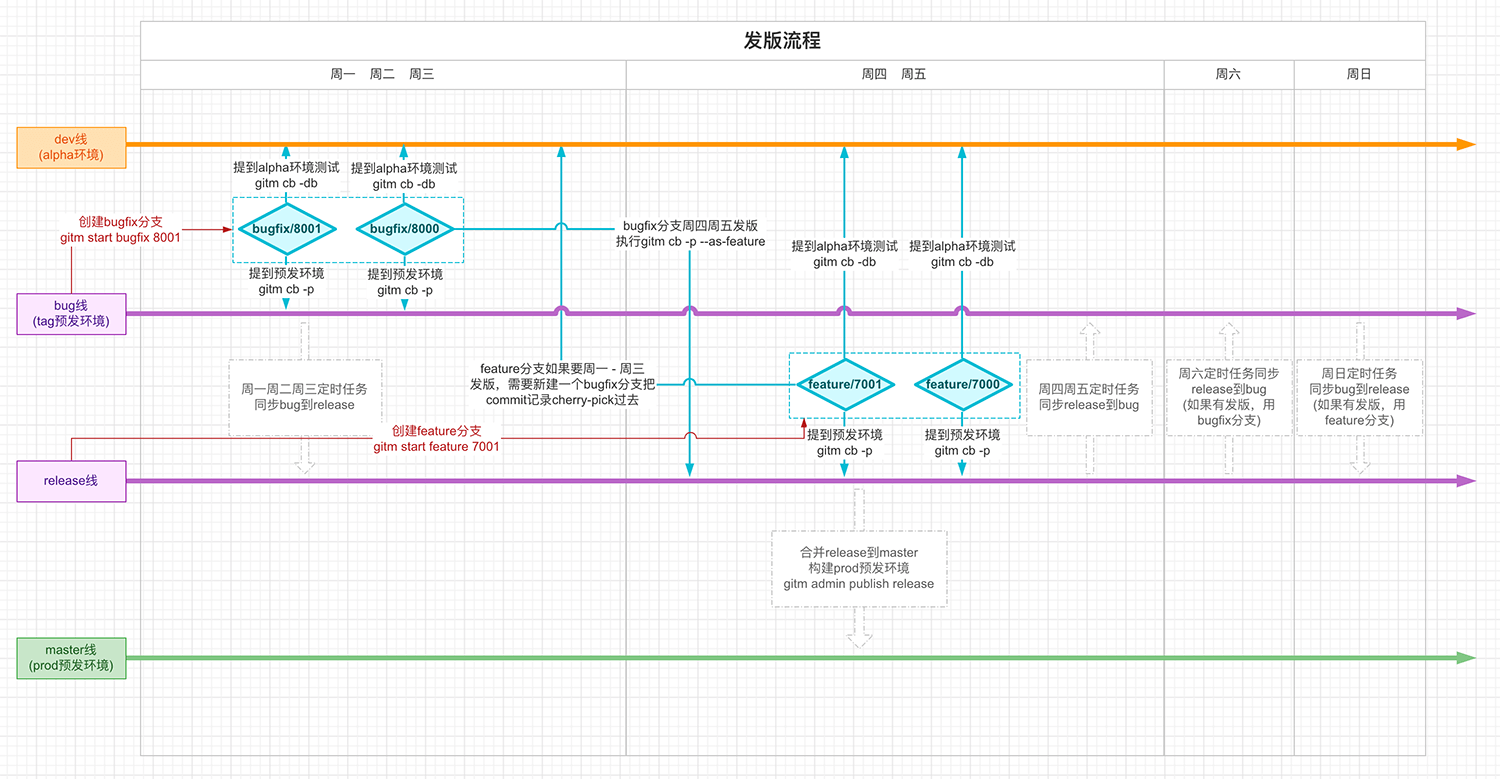
Dual Main Branch Mode
Ideal for projects with separate development and production branches.
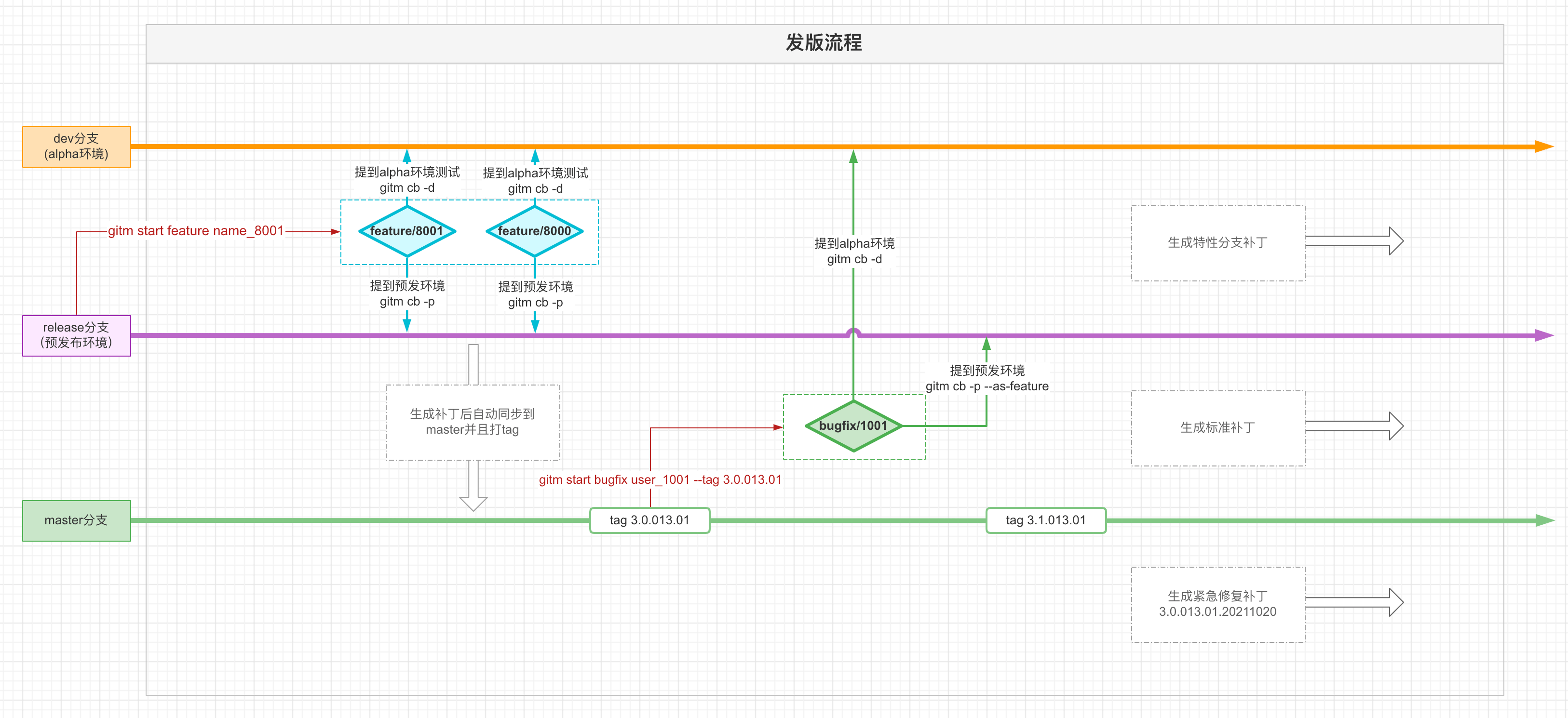
Single Main Branch Mode
Streamlined workflow for simpler release processes.
Command Reference
| Command | Description |
|---|---|
gitm init |
Initialize gitmars configuration |
gitm config |
View or modify configuration settings |
gitm combine |
Merge branch for testing phase |
gitm start |
Create bugfix branch or release branch |
gitm end |
Complete feature development |
gitm update |
Sync bugfix/feature branch with upstream |
gitm branch |
Branch management operations |
gitm save |
Stash current branch changes |
gitm get |
Restore latest stashed changes |
gitm suggest |
Get smart git operation suggestions |
gitm approve |
Process remote merge requests |
gitm review |
Perform remote code review |
gitm cleanbranch |
Clean up merged feature branches |
gitm copy |
Simplified cherry-pick operations |
gitm continue |
Resume interrupted operations |
gitm revert |
Revert commits |
gitm undo |
Undo commit or merge record |
gitm redo |
Redo commit or merge record |
gitm status |
Display current branch status |
gitm upgrade |
Upgrade gitmars version |
gitm build |
Trigger Jenkins build |
gitm unlink |
Remove symbolic link |
gitm link |
Create symbolic link |
gitm clean |
Clear gitmars cache |
gitm postmsg |
Send notification messages |
gitm permission |
Manage commit permissions |
gitm hook |
Configure git hooks |
gitm run |
Execute git hooks |
gitm log |
Query commit logs |
gitm go |
Interactive command navigator |
gitm alias |
Manage command shortcuts |
Admin Commands
| Command | Description |
|---|---|
gitm admin create |
Create main branches |
gitm admin publish |
Publish release branches |
gitm admin update |
Update main branch code |
gitm admin clean |
Clean up branches |
Smart Navigation
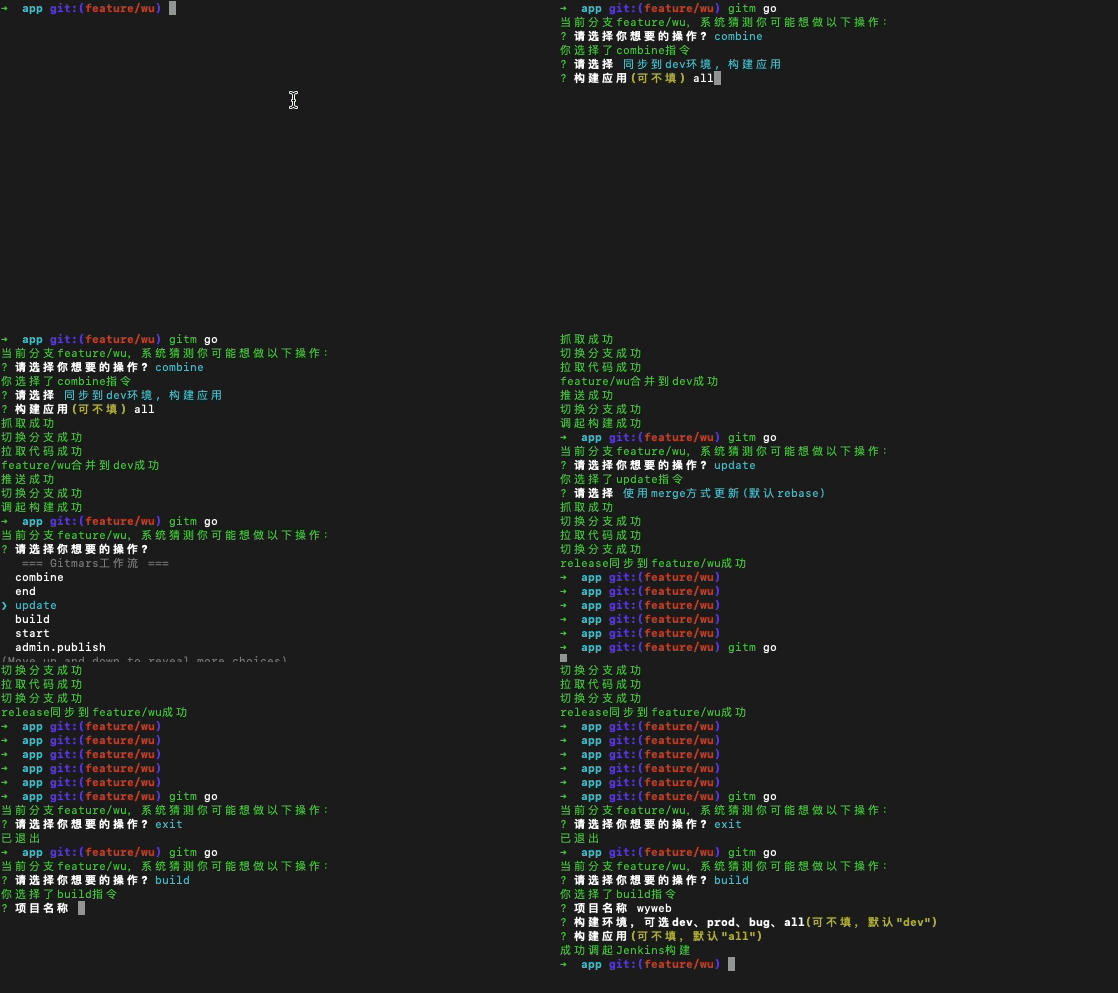
gitm go - One Command for Everything
Can't remember a command? Just type gitm go and let gitmars guide you.
Usage:
gitm go [command]Parameters:
| Parameter | Type | Required | Description |
|---|---|---|---|
| command | String | No | Command name to execute |
Available commands: combine, end, update, build, start, undo, redo, suggest, approve, review, admin.publish, admin.update, admin.create, admin.clean, admin.approve, branch, copy, get, save, cleanbranch, clean, revert, link, unlink, postmsg
Example:
gitm go buildDemo: