
CloudEval CLI
Review Azure infrastructure before merge - from CLI, CI, and AI agents.
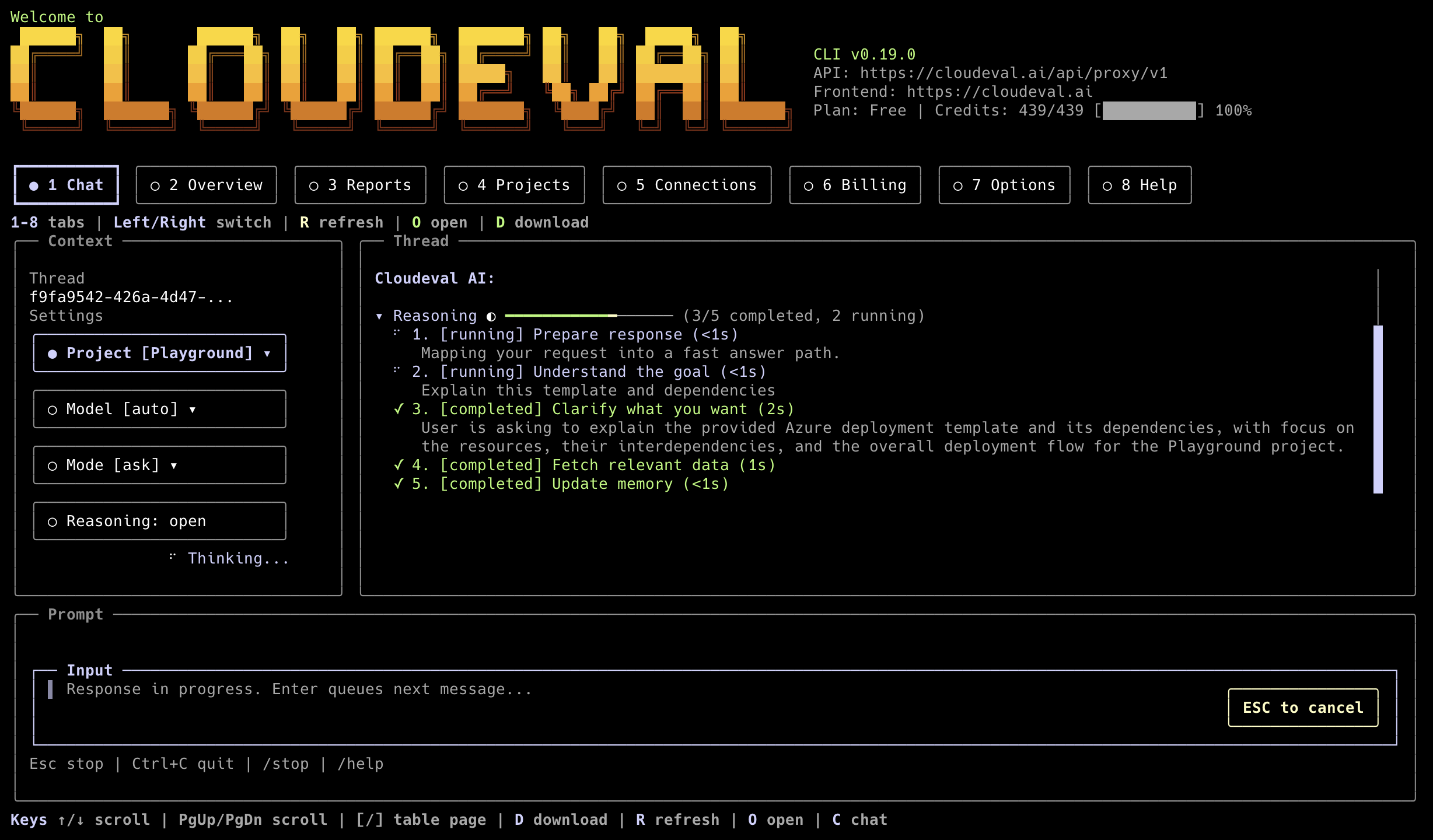





CloudEval CLI brings CloudEval into terminals, CI pipelines, and MCP-capable coding agents. Use it to review Azure ARM templates, Bicep-generated ARM JSON, and live Azure context with cost, architecture, and Well-Architected signals.
What It Does
CloudEval helps teams catch infrastructure risk before merge:
- reviews ARM JSON and Bicep-generated ARM JSON templates;
- validates templates from local files or CI workspaces;
- connects to live Azure context for cloud review workflows;
- exposes machine-readable output for scripts and GitHub Actions;
- runs as an MCP server for Codex, Cursor, Claude, VS Code, and other clients.
Quickstart: Run Your First Azure/IaC Review
Install from npm:
npm install -g @ganakailabs/cloudeval-cli
cloudeval --help
Sign in for local use:
cloudeval login
cloudeval status
Validate an ARM template:
cloudeval validate template \
  --template-file ./infra/azuredeploy.json \
  --wait \
  --progress stderr \
  --format json \
  --non-interactive
Full setup docs: Use the CLI and CLI command reference.
Choose Your Workflow
Local ARM / Bicep-Generated ARM JSON
Use validate template for local review and scriptable checks:
cloudeval validate template \
  --template-file ./infra/azuredeploy.json \
  --parameters-file ./infra/azuredeploy.parameters.json \
  --wait \
  --progress stderr \
  --format json
Live Azure Sync
Use CloudEval projects and reports after connecting Azure in the app or CLI:
cloudeval projects list
cloudeval reports list
cloudeval ask "Summarize my Azure architecture risks" --format json
GitHub Actions / CI
Use a scoped CLOUDEVAL_ACCESS_KEY secret and keep generated JSON on stdout:
name: CloudEval review

on:
  pull_request:
    paths:
      - "infra/**"

jobs:
  cloudeval:
    runs-on: ubuntu-latest

    steps:
      - uses: actions/checkout@v4

      - uses: actions/setup-node@v4
        with:
          node-version: "20"

      - run: npm install -g @ganakailabs/cloudeval-cli

      - name: Validate ARM template
        env:
          CLOUDEVAL_ACCESS_KEY: ${{ secrets.CLOUDEVAL_ACCESS_KEY }}
        run: |
          cloudeval validate template \
            --template-file ./infra/azuredeploy.json \
            --wait \
            --progress stderr \
            --format json \
            --non-interactive
Public example: passing baseline PR #6 in ganakailabs/cloudeval-azure-arm-review-example.
MCP For Codex, Cursor, Claude, VS Code
Start with read-only agent integration:
cloudeval mcp serve --toolset readonlySetup docs: MCP client setup and agent automation rules.
Example Outputs
Human-facing commands print concise summaries by default:
cloudeval status
cloudeval reports list
cloudeval rules search "public network"
cloudeval agents run cost --project <project-id> --format json
Automation should request structured output:
cloudeval capabilities --format json
cloudeval validate template --template-file ./infra/azuredeploy.json --wait --format json --non-interactive
cloudeval ask "Summarize top risks" --format ndjson --progress ndjson --non-interactive
Trust, Privacy, And Limits
CloudEval is designed for review workflows, not silent cloud mutation.
- Azure is the primary supported live-cloud provider today.
- ARM JSON and Bicep-generated ARM JSON are the strongest current IaC paths.
- AWS and GCP live sync are not full-parity workflows today.
- Machine-readable commands write payloads to stdout.
- Prompts, warnings, progress, and browser-open messages go to stderr.
- Telemetry does not send raw prompts, command output, tokens, local paths, resource IDs, tenant IDs, cloud resource names, stack traces, or raw error messages.
- Use
--format json --non-interactivefor scripts and CI. - Use
cloudeval mcp serve --toolset readonlyas the default agent integration mode.
Privacy and automation details: agent and automation rules.
Automation Contract
CloudEval separates machine output from human/operator messages:
- stdout: JSON, NDJSON, Markdown, or text payload requested by
--format; - stderr: prompts, warnings, progress, browser-open messages, and MCP diagnostics;
- JSON/NDJSON: use
--format jsonfor one final payload or--format ndjsonfor streaming events where supported; - exit codes: non-zero exits indicate failed commands, validation failures, missing auth, or required human approval;
- non-interactive mode: use
--non-interactivein CI so commands fail instead of prompting.
Recommended CI shape:
cloudeval validate template \
  --template-file ./infra/azuredeploy.json \
  --wait \
  --progress stderr \
  --format json \
  --non-interactive
MCP For Coding Agents
Use MCP when an AI coding agent should inspect CloudEval projects, reports, rules, recipes, or validation capabilities.
cloudeval mcp serve --toolset readonlyCommon setup commands:
codex mcp add cloudeval -- cloudeval mcp serve --toolset readonly
cloudeval mcp setup cursor --dry-run --toolset readonly --format json
cloudeval mcp setup vscode --dry-run --toolset readonly --format json
MCP stdout is reserved for JSON-RPC. Diagnostics go to stderr.
Advanced Install, Update, Uninstall
Standalone installers are available for macOS, Linux, WSL2, Git Bash, and PowerShell 7+:
curl -fsSL https://cli.cloudeval.ai/install.sh | bashirm https://cli.cloudeval.ai/install.ps1 | iexUpdate and uninstall:
cloudeval update --check
cloudeval update --yes
cloudeval uninstall --dry-run
cloudeval uninstall --yes
cloudeval uninstall --yes --remove-config
npm uninstall -g @ganakailabs/cloudeval-cli
The installer can offer optional MCP setup for detected clients. It does not create access keys or write secrets into MCP client config.
Full Docs
- CloudEval app
- CLI overview
- Use the CLI
- CLI command reference
- MCP client setup
- Agent and automation rules
- Sign-in and onboarding troubleshooting
- GitHub issues
- Releases
- Discord
Build From Source / Contributing
Read AGENTS.md before touching auth, credentials, smoke artifacts, or user-facing command behavior.
git clone https://github.com/ganakailabs/cloudeval-cli.git
cd cloudeval-cli
pnpm install
pnpm build
pnpm -C packages/cli dev --help
Run focused package checks:
pnpm test:npm-package
pnpm -C packages/cli test:cli:noninteractive
License
CloudEval CLI first-party code is provided under the CloudEval CLI License.
Production third-party attribution is published in THIRD_PARTY_NOTICES.md, and the release SBOM is published as sbom.spdx.json.