opencode-telescope
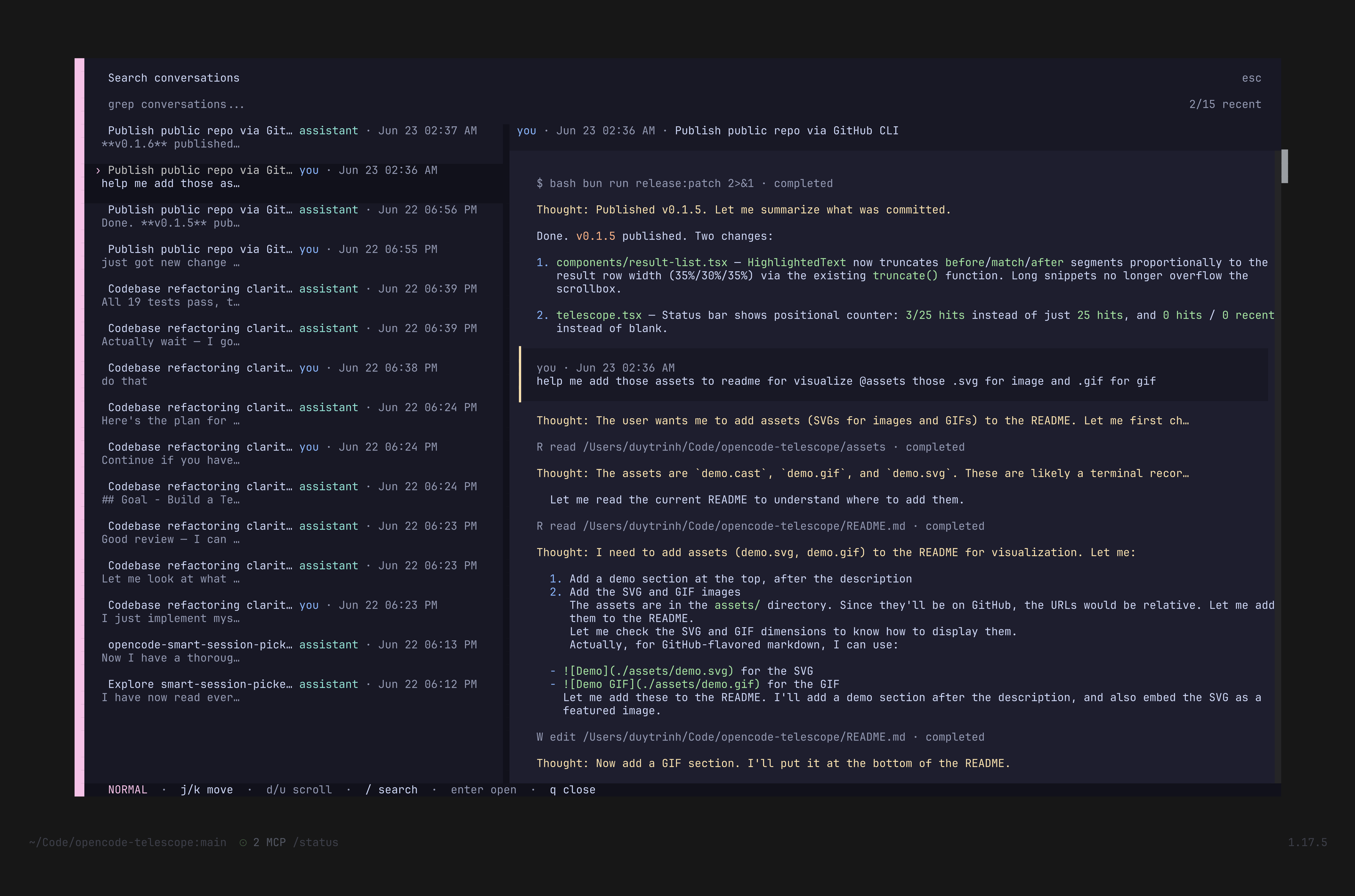
Fuzzy search across all your OpenCode conversations — grep through session and chat history, find code snippets, and jump to any chat instantly.
Inspired by telescope.nvim — a fuzzy finder for your conversation history.
Use cases
- "I know I discussed this somewhere" — grep all your sessions by keyword
- "Find that code snippet" — search for code you saw in a past LLM response
- "Revisit a decision" — find the conversation where you chose approach X
- "Session journal" — browse your entire conversation history like a timeline
Features
- Fuzzy grep — search across all session messages by text
- Live preview — preview the matched conversation result before opening
- Find & jump — select any result and jump straight to that session
- Neovim Telescope-style UX — familiar
<leader>fkeybind and/telescopecommand
Installation
Add the plugin to your tui.json:
{
  "plugin": ["@bojackduy/opencode-telescope"],
}
To use it from a local clone:
"plugin": ["./path/to/opencode-telescope"]
Usage
| Action | Key / Command |
|---|---|
| Open search | <leader>f or /telescope |
| Type to filter | Fuzzy match against conversation text |
| Navigate results | ↑ / ↓ or j / k |
| Preview | Select a result to see the conversation preview |
| Open | Press Enter to jump to the selected session |
| Owner filter | Press o to cycle all / you / assistant |
Configuration
Telescope reads optional plugin-specific config from:
~/.config/opencode/opencode-telescope/config.jsonIf $XDG_CONFIG_HOME is set, the path is:
$XDG_CONFIG_HOME/opencode/opencode-telescope/config.jsonMissing config, invalid JSON, and invalid individual fields are ignored. Defaults are kept for anything not configured.
Example:
{
  "openKey": "<leader>f",
  "keys": {
    "moveDown": ["down", "j"],
    "moveUp": ["up", "k"],
    "scrollPreviewDown": ["d"],
    "scrollPreviewUp": ["u"],
    "open": ["enter", "return"],
    "close": ["q", "escape"],
    "insertMode": ["/"],
    "normalMode": ["ctrl+q"],
    "toggleOwner": ["o"]
  }
}
Key strings support simple names like j, k, down, up, enter, return, and escape, plus modifier strings like ctrl+q.
How it works
Reads the OpenCode local SQLite session database in read-only mode, parses conversations into searchable text, and opens the selected session through the existing TUI route.